




9 min reading
GA4 BigQuery Export: When You Really Need It


Most teams start their site analysis with the basics: page views, sessions, and bounce rate. That’s a reasonable starting point. But it doesn’t take long to realize this data tells you almost nothing about actual user behavior. A page was opened, but was it read? Did anyone interact with anything? Did users even try to take the next step?
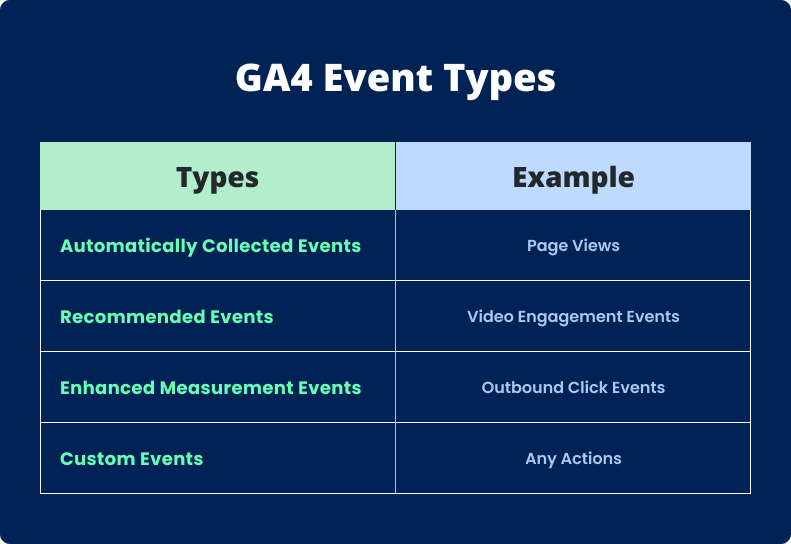
This is where custom events in Google Analytics 4 start to matter. They show you not just that a page was visited, but what users actually did: what they clicked on, how far they scrolled, which elements held their attention.
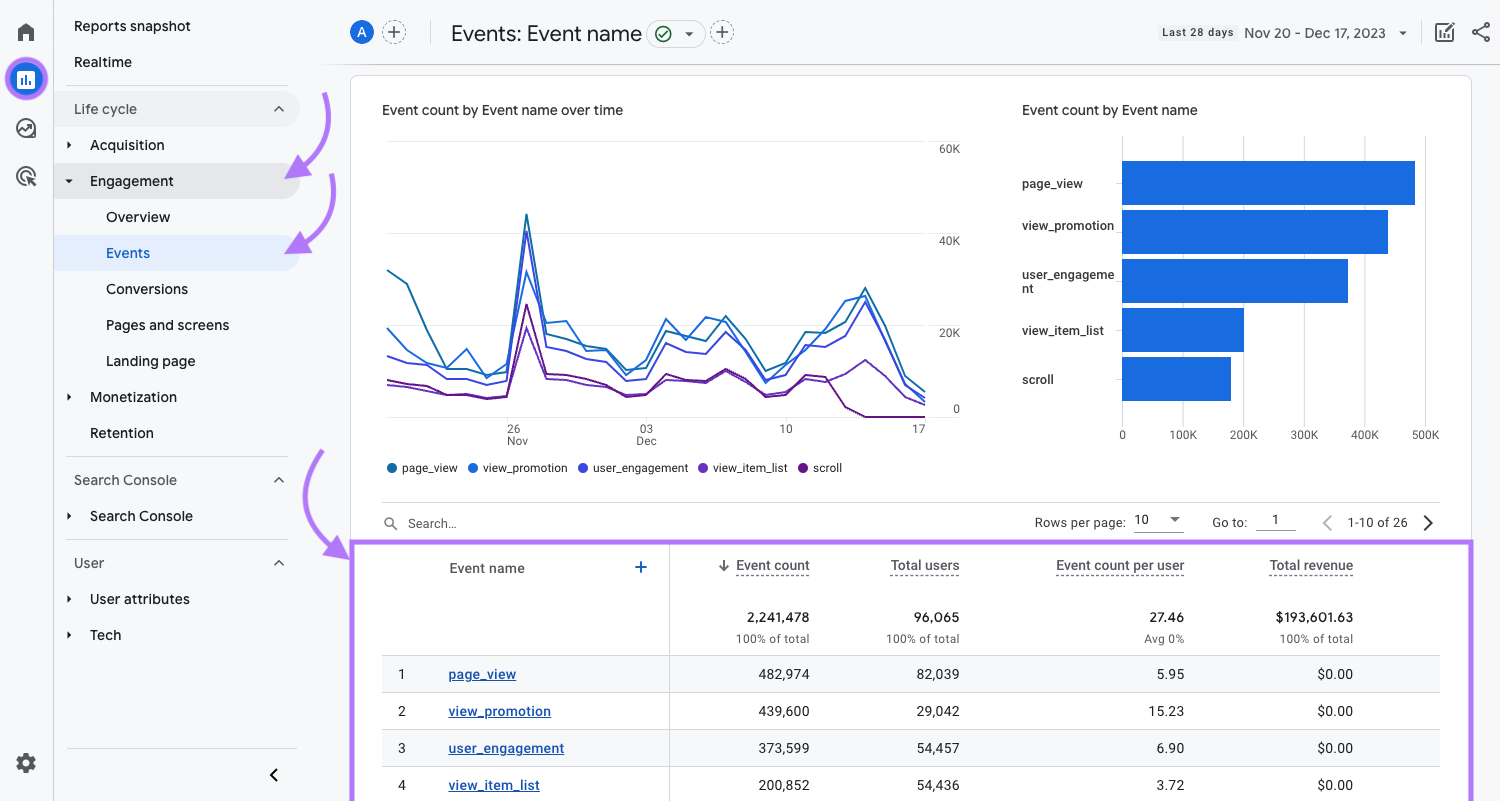
Take the standard page_view metric. It tells you a page was opened. Set up a scroll depth event, and you can see whether users are reaching the middle of an article or the section with a form. Often, you’ll find a significant chunk of your audience never even gets to an important CTA.
Button-click tracking is another simple yet valuable example. Most sites have key elements scattered across their pages: “Buy,” “Sign Up,” “Request a Consultation.” Tracking clicks on these tells you exactly where users start moving toward a conversion and where they stall or drop off entirely.
You also don’t need to be a developer to set any of this up. Most events can be configured in Google Tag Manager without touching the site’s code. For teams that repeatedly implement similar tracking solutions, custom templates in GTM can make the process more structured and consistent. A click trigger on a button or an element with a specific CSS class is enough to create an event and send it to GA4. That’s why marketing and analytics teams without deep technical backgrounds can get started with event tracking on their own.
The most useful part comes when you put the data to work. One of the most common applications is repositioning buttons or forms. Scroll analysis might reveal that only 30% of users are making it to the application form at the bottom of the page. Moving it higher frequently pushes conversions up by double digits. GA4 predictive metrics can add another layer of analysis by helping you identify patterns that may indicate future user behavior.
Click analysis tells a similar story. If users keep clicking an element that doesn’t lead anywhere meaningful, that’s a signal: it looks important, but it’s not doing its job. Sometimes changing the copy, the design, or the button behavior is all it takes to see a real improvement.
Funnel analysis on your site can show exactly where users stop progressing toward a conversion and which stages of the journey create the biggest losses.
Custom events shift your analysis from surface-level numbers to an actual picture of user behavior: not just how many people visited, but what they did when they got there. That’s the information that tends to unlock real conversion growth. Dashboard visualization can make this information easier to interpret by bringing important events, interactions, and conversion points into a clear visual report.
Our practical example of this approach can be found in our Class Central case study, where data-driven analysis helped identify opportunities for improving digital performance.
Want to understand how users actually interact with your site and where you’re losing conversions? The Livepage team can help you set up precise event tracking in GA4, build analytics around your business goals, and find real growth opportunities from real data.


“Livepage has proven to be a reliable source for rapid online growth. We started with 2,000 visitors per month. In 3 years together with Livepage we have reached 70,000 visitors and more than 100 leads from the site per month.”


“As for the results, we’ve been working together since 2015, and our traffic has increased 10x. I cannot say that Livepage was our first SEO company, but they have become the first SEO partner that helped us to achieve the success we were looking for.”


“Livepage delivers SEO efforts that have led to an increase in the site’s users, traffic, and conversions. The team uses a wide range of tools to achieve the client’s goals. They are attentive to the client’s needs, working with them in real-time and bringing in additional specialists when needed.”


“I am pleased with the quick task execution and the instant replies to my messages.”


“I like the complex approach that the Livepage team offers. Absolutely all team members work together; everyone is aware of what is happening on the project. We have one common goal – to increase our service sales, and the team is making every effort to achieve the goal as soon as possible.”


“We’ve been really impressed by how Livepage quickly understood our business and centred our PPC campaign around our objectives. We have achieved good results within a very short time in both revenue and ROI.”


“Everything is clear, timely, and understandable.”


“They have leveraged ideal opportunities to reach our business goals.”