



12 min reading
What Is Lead Generation and How to Make It Effective for Business


In 2026, digital analytics is undergoing one of the biggest transformations in marketing history. Cookie deprecation, ITP Safari tracking, browser privacy restrictions, and the growing ad blocker impact are significantly reducing conversion tracking accuracy.
That’s why companies are moving toward privacy-first analytics, relying on first-party cookies, server-side tracking, and new Google solutions.
One of these solutions is Google Tag Gateway (GTG).
So, what is Google Tag Gateway, and why is it becoming a popular server-side tagging alternative?
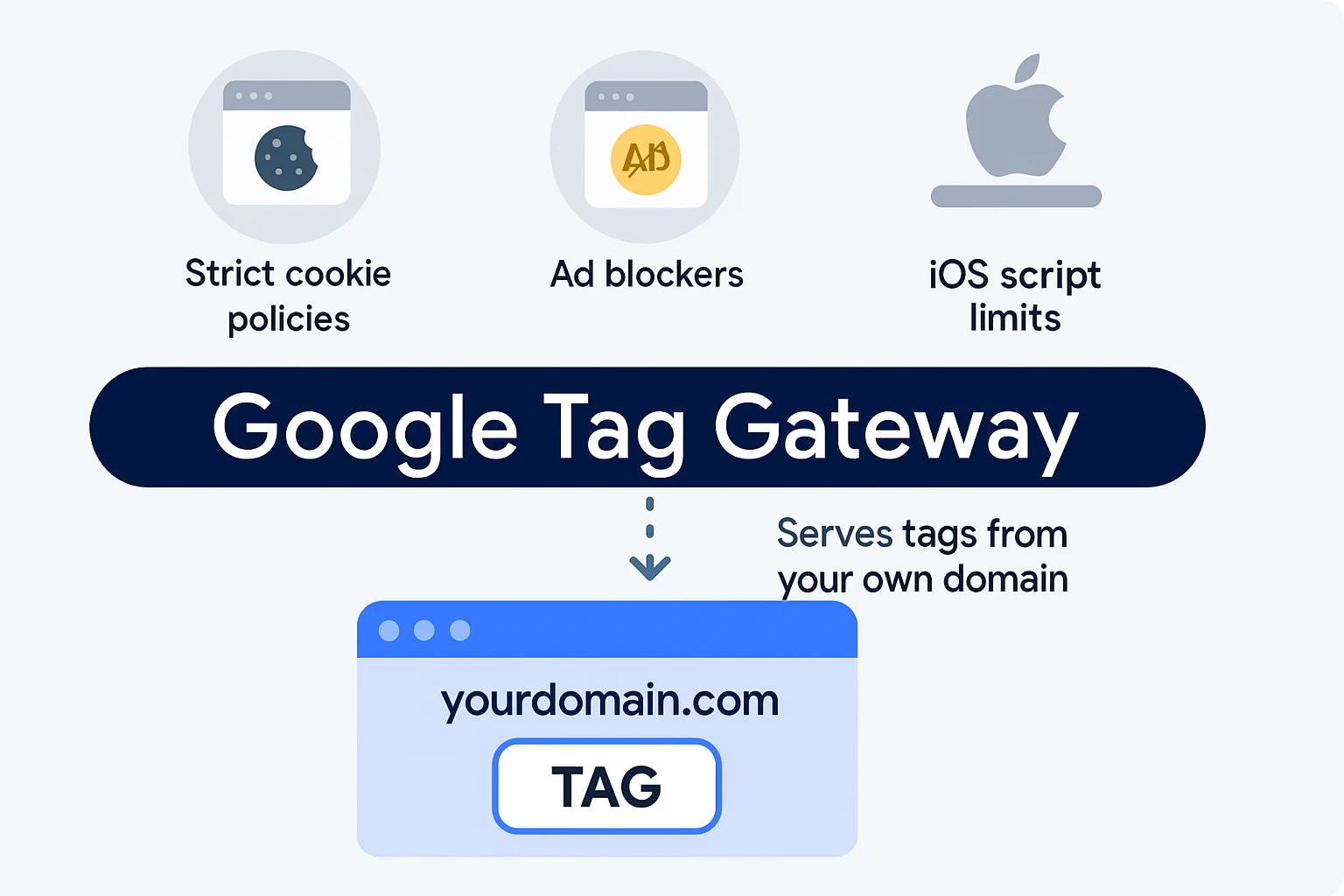
Google Tag Gateway is a solution that allows you to load Google tags (GA4, Google Ads, Floodlight, GTM) through your own domain instead of Google domains like:
In simple terms:
Instead of:
yourwebsite.com → google-analytics.com
You get:
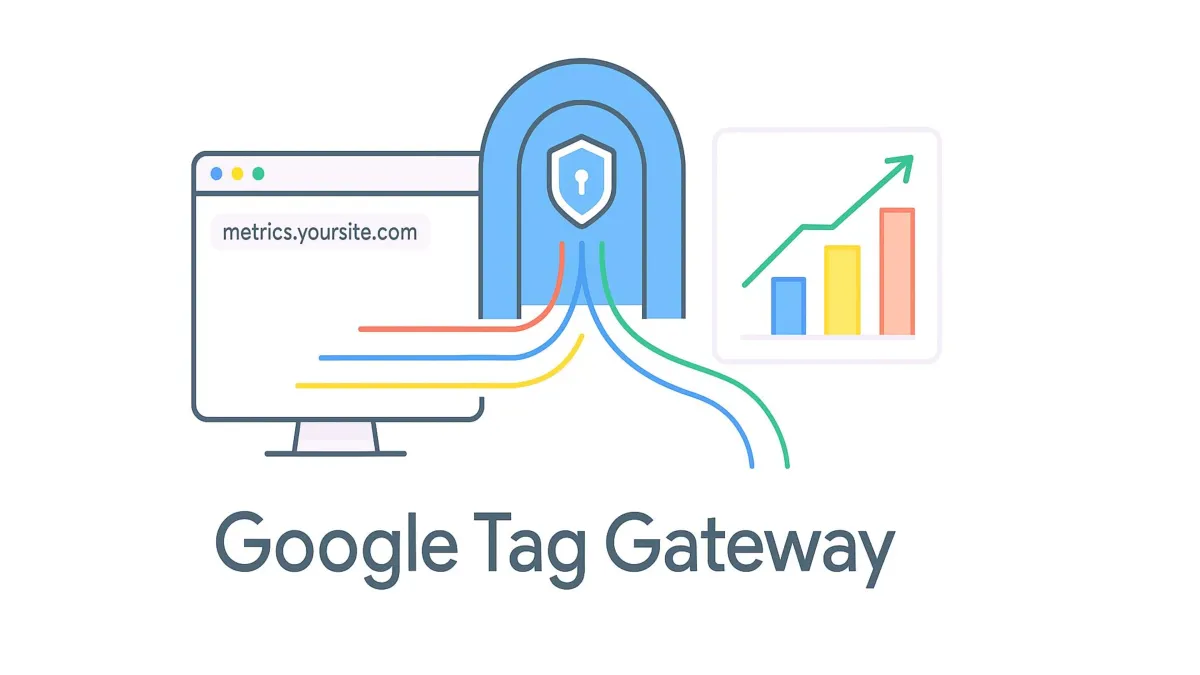
yourwebsite.com → yourwebsite.com/metrics → Google
This approach enables CDN proxy tracking and makes tags appear as first-party resources, improving resistance to ad blockers and browser limitations.
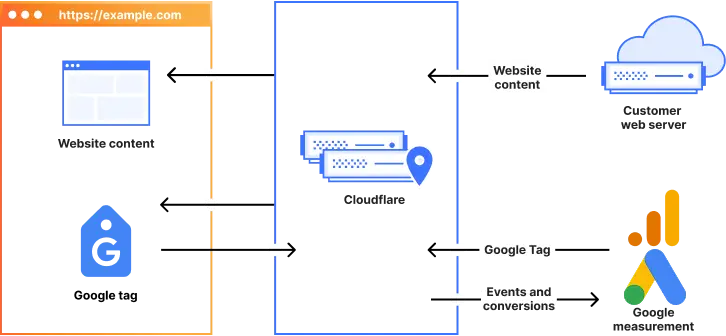
Let’s break down how Google Tag Gateway works.
GTG uses infrastructure like:
In practice:
This improves tag firing accuracy and reduces data loss caused by tracking restrictions.
GTG strengthens your first-party data strategy and helps mitigate cookie deprecation.
Since Safari limits third-party cookies, GTG improves tracking stability.
Requests look like your own domain, so blockers are less aggressive.
Unlike full server-side tagging, Google Tag Gateway setup is fast and doesn’t require heavy engineering.
GTG improves signal quality, which helps Google Ads Smart Bidding signals and campaign performance.
Despite its benefits, GTG is not a full replacement for server-side tagging.
It does NOT provide:
Understanding Google Tag Gateway vs. server-side GTM is critical.
Key difference:
This is the core Google Tag Manager (SGTM) difference.
| Feature | Google Tag Gateway | Server-side GTM |
| First-party delivery | Yes | Yes |
| Server logic | Limited | Full |
| Data control | Limited | Full |
| Multi-platform integrations | No | Yes |
| GA4 data discrepancy reduction | Partial | Strong |
| Consent control (consent mode Google) | Medium | High |
Choosing between GTG vs. sGTM isn’t really about which one is “better.” It’s more about where your business is right now — and how far you want to go with your data setup.
When to use Google Tag Gateway
If you’ve been wondering when to use GTG vs. sGTM, Google Tag Gateway usually makes sense as a first step — especially if you’re already seeing gaps in GA4 or Google Ads but don’t want to jump into a full server setup just yet.
In practice, GTG works well when you simply need to stabilize your tracking.
For example, if your main tools live inside the Google ecosystem and your biggest concern is improving signal quality for GA4 and Google Ads, GTG can give you that boost without requiring a full rebuild of your setup. It serves as a lightweight entry point to server-side tracking, helping you recover lost data and improve conversion-tracking accuracy.
It’s also a good option if you’re working with limited resources — either in terms of budget or engineering capacity. You don’t need a dedicated backend team, and the Google Tag Gateway setup is relatively straightforward compared to a full server-side implementation.
Another common scenario is when a business is just starting to move toward privacy-first analytics. GTG allows you to begin building a first-party data strategy, reduce the impact of browser restrictions, and improve performance without overcomplicating your infrastructure from day one.
So if your goal is to get quick wins, improve tracking stability, and take a step beyond traditional client-side tagging, GTG is often the most practical place to start.
When server-side GTM is required
That said, there’s a point where GTG simply isn’t enough — and that’s where server-side GTM comes in.
If your tracking needs go beyond improving delivery and you actually want control over how data is processed, enriched, and distributed, then you’re already in sGTM territory.
For example, if you’re working with multiple platforms and need to connect analytics with CRM data or external APIs, a full tag management system on the server side becomes essential. This is especially true when you need accurate deduplication between browser and server events or want to enrich your events using the data layer GTM and backend logic.
Server-side GTM also plays a big role when you’re trying to reduce GA4 data discrepancy and align your analytics with real business data. Add to that more advanced use cases like custom consent mode Google handling, deeper protection from ad blockers, or transitioning toward true cookieless tracking, and GTG starts to feel limited.
Finally, if your company is investing in more sophisticated measurement — like attribution modeling 2026 or advanced bidding strategies — you’ll need the flexibility and control that only a server-side setup can provide.
So, what’s the real difference?
The simplest way to think about it:
GTG is a smart, low-effort upgrade from client-side tagging.
sGTM is a long-term investment in your data infrastructure.
And for many teams, the most realistic path isn’t choosing one over the other — but starting with GTG and moving to sGTM when the business is ready.
When it comes to Google Tag Gateway GA4, GTG helps:
This directly improves conversion tracking accuracy and data quality.
So, what is Google Tag Gateway in practice?
It’s not a replacement for server-side GTM — but a smart and efficient server-side tagging alternative.
In short:
If you’re just starting your transition to a first-party data strategy, GTG is a perfect entry point.
If you need full control over your data, advanced integrations, and future-proof tracking — server-side GTM is the way forward.


“Livepage has proven to be a reliable source for rapid online growth. We started with 2,000 visitors per month. In 3 years together with Livepage we have reached 70,000 visitors and more than 100 leads from the site per month.”


“As for the results, we’ve been working together since 2015, and our traffic has increased 10x. I cannot say that Livepage was our first SEO company, but they have become the first SEO partner that helped us to achieve the success we were looking for.”


“Livepage delivers SEO efforts that have led to an increase in the site’s users, traffic, and conversions. The team uses a wide range of tools to achieve the client’s goals. They are attentive to the client’s needs, working with them in real-time and bringing in additional specialists when needed.”


“I am pleased with the quick task execution and the instant replies to my messages.”


“I like the complex approach that the Livepage team offers. Absolutely all team members work together; everyone is aware of what is happening on the project. We have one common goal – to increase our service sales, and the team is making every effort to achieve the goal as soon as possible.”


“We’ve been really impressed by how Livepage quickly understood our business and centred our PPC campaign around our objectives. We have achieved good results within a very short time in both revenue and ROI.”


“Everything is clear, timely, and understandable.”


“They have leveraged ideal opportunities to reach our business goals.”