




19 min reading
How to Get Featured in Google AI Overviews: A Step-by-Step Website Optimization Guide


Your internet-driven business is doing quite well, with people coming steadily to your e-store or other enterprise and filling your coffers with revenue. But one day, you wake up to see a rapid decline in website visits. Fewer people coming to your digital storefront signals a website visibility drop, leading to a subsequent decline in orders, purchases, subscriptions, and other KPIs. You hope the problem will disappear as suddenly as it popped up, but it doesn’t. It persists and even worsens. Still, you didn’t do anything wrong to bring your website traffic down. Or so it seems to you.
If you’re asking yourself, “Why has my website traffic dropped?” or “What can I do to stop the ongoing website traffic decline and restore the previous indices?” we’ve got you covered. In this article, we describe the traffic loss reasons, discuss the basics of traffic drop analysis, recommend key recovery steps, and instruct on how to prevent a sudden traffic decrease.
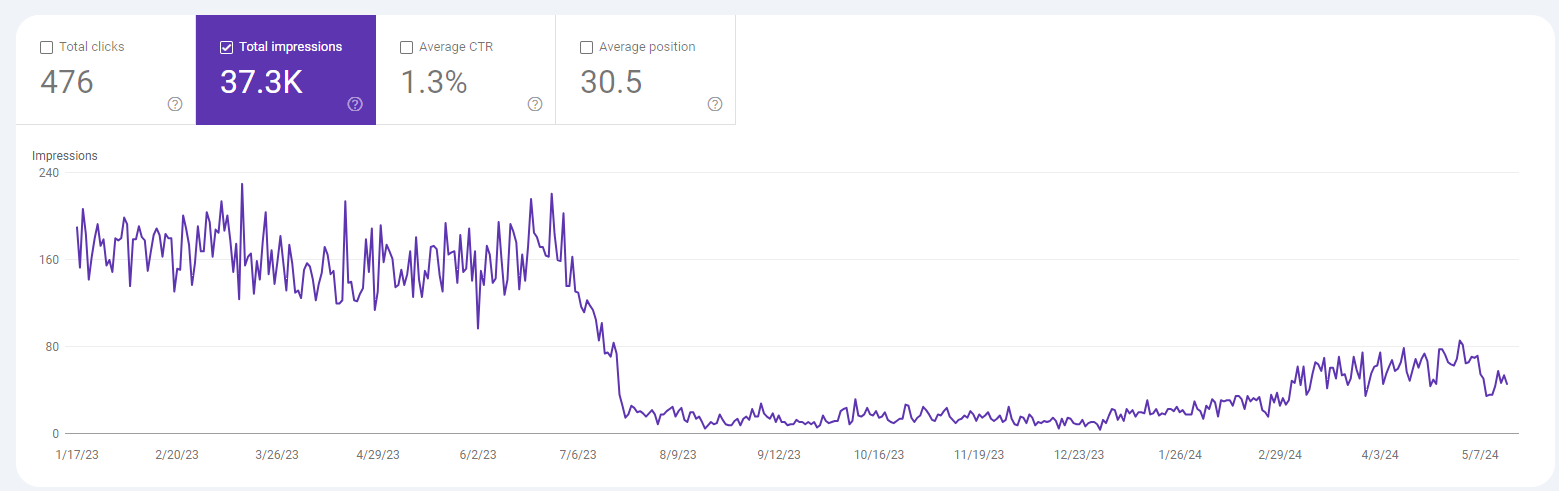
The first thing to do is to make sure you aren’t panicking needlessly. Perhaps it’s not your website traffic, but rather that you are experiencing an analytics tracking issue. To put it simply, the number of site visitors fluctuates within the average range, but your reports paint a distorted picture. It may occur due to broken analytics code, filtering or cross-domain issues, misconfigured event/conversion tracking, browser policy changes, etc.
How can you differentiate between real traffic problems and a glitch in the reporting setup?
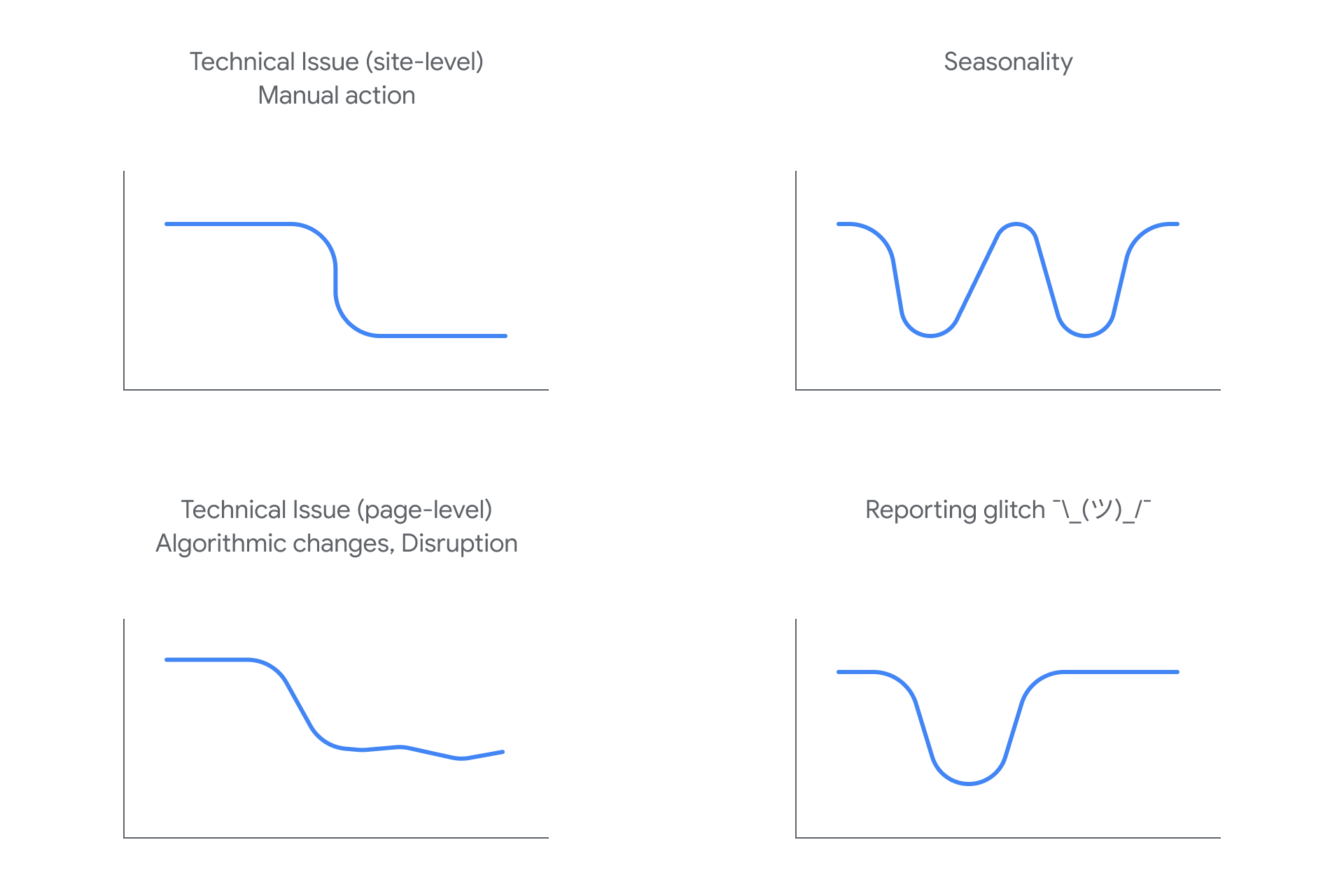
If you’ve ruled out the analytics issue, and it is your website traffic that dropped suddenly, you need to find the cause behind it.
The Google core update impact is one of the main reasons for organic visibility loss and search ranking volatility. Aiming to enhance users’ search experiences, Google updates its algorithms once in a while. Google algorithm changes are designed to prioritize websites that ensure content freshness and quality, and to filter out those the search engine considers unethical or spam, based on the duplicate content they publish. If Google thinks your site falls within this category, it can reshuffle its rankings, thus triggering a search visibility decrease followed by a traffic drop.
Certain website performance issues can prevent people from accessing it. Such problems are quite numerous, starting from indexing issues (when one or several pages are not indexed) and noindex tags, through redirect errors and robots.txt blocking, down to broken tracking codes and even server downtime.
Sometimes, traffic loss stems from an SEO performance drop. What crawl errors make SEO drop dramatically? Possible reasons include internal linking issues, outdated pages, lost keyword rankings (often due to keyword cannibalization), content that offers little value to readers, and more.
Google algorithms don’t think much of websites filled with AI-generated, programmatic, and outdated content. The same is true of irrelevant information on the site when users’ search intent doesn’t align with what they actually see there. As a result, they are frustrated and engage poorly, leaving the website soon after opening it. The search engine spots it immediately and promptly downgrades the site’s ranking.
Search engines consider backlinks you earn from other websites as votes of confidence, signaling your link equity and, by extension, your trustworthiness and value. If the number of backlinks plummets while your competitors keep their position, your domain authority takes a dip as well, triggering corresponding actions from Google.
Here belong miscellaneous marketing reasons for traffic drops, including paused ad campaigns, declining social media reach, lost referral partners, budget limits, etc. The decrease in traffic can also be explained by recent analytics configuration changes related to GA4 events, filters, consent mode, etc.
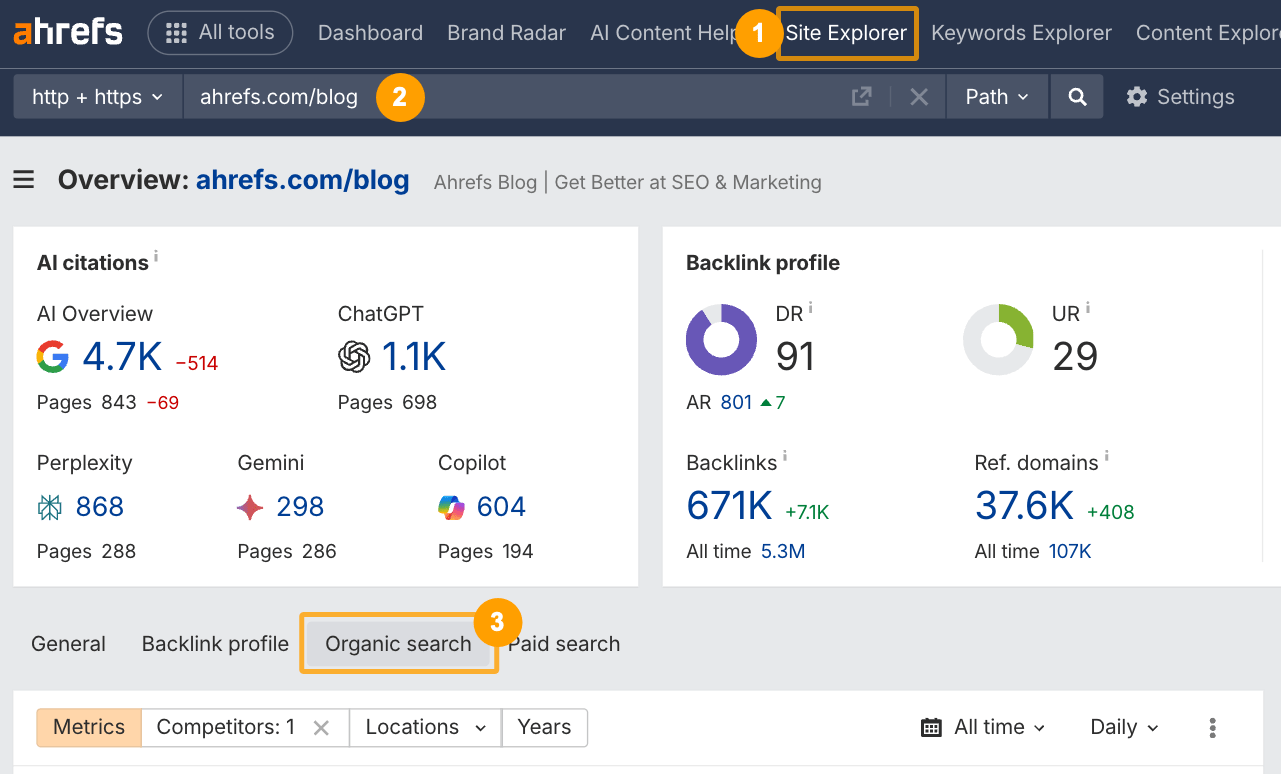
Sometimes, your website traffic not just dramatically decreases but drops to zero, and you just can’t find your site in Google search. The reason is simple: your website has been removed from the Google index. Why is a site deindexed?
Now that you know all possible reasons for traffic decline, you should understand which of them apply to your particular case. Here’s what a diagnostic framework for an out-and-out analysis of a traffic drop on your website looks like:
The points of special attention during the website traffic loss audit include:
As soon as you understand what is dragging your traffic down, it is time to address the problem.
While traffic drops are a mission-critical issue for internet-powered businesses, they’re not a death sentence. In most cases, problems are fixable if you don’t put them into the pending tray and adopt a structured approach to solve them.
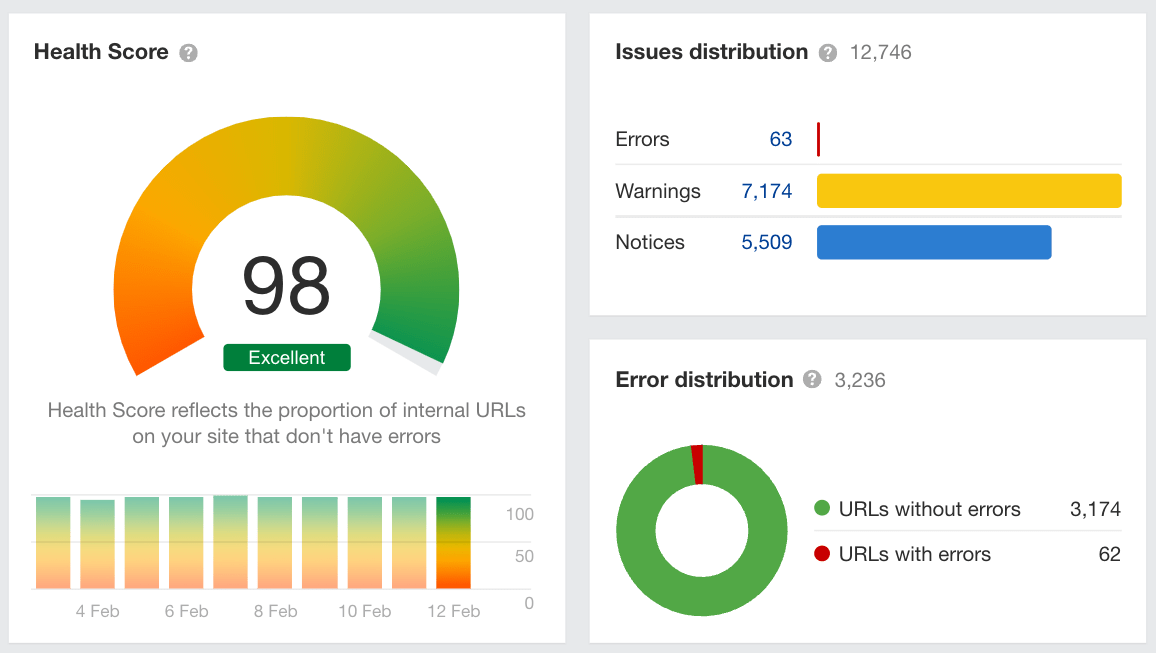
Broken links, crawl errors, indexing problems, and other issues that GSC highlights should be dealt with. Besides, look into slow pages and implement proper 301 redirects for URLs that have been changed.
It’s not only about adding fresh data, statistics, examples, new keywords, and expert quotes to existing articles, or about mitigating keyword cannibalization by consolidating or optimizing pages with identical keywords. You should enhance the content’s depth by revising it to make it more relevant and comprehensive, meeting users’ expectations.
A quick-to-implement measure is to use anchor texts that connect high-authority pages on your website to underperforming pages to reinforce your internal links. A slower, more consistent effort should focus on boosting domain authority by recovering and/or earning links from expert, popular sources.
Identify navigation inadequacies and eliminate them. Your site should be intuitive, smooth to use, and enjoyable to encourage visitors to interact longer and engage more meaningfully.
If you have implemented all these steps, you are sure to see your traffic return to its previous levels, hopefully sooner rather than later. Now you can take a breather. But not a long one, since you wouldn’t like the nuisance to bother you again, would you?
There are several key ingredients in this recipe.
It concerns not only crawl errors, core web vitals, and other metrics trackable through GSC. You should also keep abreast of all Google algorithm updates and AI-related changes.
They include validating technical aspects (indexability, crawlability, site speed, structure, and architecture, its security, and mobile-friendliness), on-page SEO (content quality, image and keyword optimization, meta tags, internal linking), off-page and local SEO (local citations, backlink profile, and competitor analysis), and UX.
Whatever modifications you make to your website, you should keep a detailed record of them. It will serve you as a transparent audit trail, instrumental in pinpointing technical inadequacies or content issues after updates.
Reacting to issues and feedback is a necessary part of your content strategy, but you can’t build your business only on hindsight. You should anticipate what your audience will need tomorrow and develop a set of forward-looking measures to prevent your content from quickly becoming stale or obsolete. It means keeping website information always relevant and fresh to deliver value, maintain high-quality content, and earn public trust.
A sudden drop in website traffic is a nightmare for internet-powered businesses because they send their revenues tumbling. Sometimes what entrepreneurs take as a drop in traffic is just a tracking glitch that reflects reporting failures. Yet more often, they are actual declines caused by Google algorithm updates, the website’s technical defects, SEO-related issues, content flaws, lost backlinks, a loss of domain credibility, or even manual or automated penalties from Google.
What should you do if you have spotted a traffic drop? Stop panicking and face the music. First, find out the reasons behind it. Then systematically address detected errors and inadequacies, focusing on technical, content, SEO, and UX aspects. Finally, take preventive steps, such as continuous monitoring, regular audits, maintaining a website change log, proactively updating content, and more, to prevent similar accidents in the future.
A wise decision to avoid traffic-related trouble is to hire vetted experts in this field who will help you detect decreases in website traffic in a timely manner, identify their causes, mitigate their consequences, and take future-proofing steps.


“Livepage has proven to be a reliable source for rapid online growth. We started with 2,000 visitors per month. In 3 years together with Livepage we have reached 70,000 visitors and more than 100 leads from the site per month.”


“As for the results, we’ve been working together since 2015, and our traffic has increased 10x. I cannot say that Livepage was our first SEO company, but they have become the first SEO partner that helped us to achieve the success we were looking for.”


“Livepage delivers SEO efforts that have led to an increase in the site’s users, traffic, and conversions. The team uses a wide range of tools to achieve the client’s goals. They are attentive to the client’s needs, working with them in real-time and bringing in additional specialists when needed.”


“I am pleased with the quick task execution and the instant replies to my messages.”


“I like the complex approach that the Livepage team offers. Absolutely all team members work together; everyone is aware of what is happening on the project. We have one common goal – to increase our service sales, and the team is making every effort to achieve the goal as soon as possible.”


“We’ve been really impressed by how Livepage quickly understood our business and centred our PPC campaign around our objectives. We have achieved good results within a very short time in both revenue and ROI.”


“Everything is clear, timely, and understandable.”


“They have leveraged ideal opportunities to reach our business goals.”