



1 min reading
Review of Cooperation with Livepage from MISSIA Bridal



Key takeaways:
Google Ads has evolved from fully manual bid management to machine learning-based automated bidding. Since this article was first published, Google Ads bidding strategies have changed significantly. Some options have disappeared from the interface, while others have gained new settings and capabilities.
What has not changed is the importance of choosing a strategy around the actual campaign goal. If the bidding model does not support what you are trying to achieve, even a well-built campaign can struggle to deliver the expected results. Define the primary objective first, then choose the bidding strategy around it.
In this guide, we’ll review the current Google Ads bidding strategies for Search campaigns, explain their strengths and limitations, and show what to consider when matching each one to a specific goal.
And if you need help with the full campaign process, Livepage offers Google Ads campaign management, including setup, bid control, and ongoing optimization aligned with your business objectives.
Bids in Google Ads determine how much an advertiser is willing to pay for a click, conversion, or ad impression. A bidding strategy is a set of rules Google uses to calculate the bid amount in each individual auction, based either on the advertiser’s decisions or on the algorithm’s prediction.
An ad’s position in search results is determined by more than the bid amount. During the ad auction, Google also considers the quality of the ad, including the relevance of the copy, expected CTR, landing page quality, and other factors. Together, these signals contribute to Ad Rank, which determines whether your ad can appear above a competitor’s even if that competitor is willing to pay more per click.
The conditions also change from auction to auction. Google may consider signals such as location, time, device, previous search behavior, and other contextual information. Since campaigns can participate in thousands of auctions, managing every adjustment manually becomes difficult very quickly. That is where automated bidding comes in. Machine learning evaluates available signals in real time and adjusts bids according to the campaign objective.
With manual bidding, you set the maximum CPC yourself and then increase or decrease bids based on performance data. With automated strategies, Google estimates the likelihood of a click or conversion and sets the bid accordingly, using signals that may not appear in standard reporting.
Even the most advanced bidding strategy won’t perform well if you repeat the same Google Ads mistakes to avoid, such as using unrealistic targets or incorrect conversion tracking.
Before looking at Google Ads bidding strategies in detail, let’s compare how they differ, when each type is suitable, what is required for it to work correctly, and what its main risk is:
| Strategy | Goal | Best Fit | What You Need | Main Risk |
| Manual CPC | Cost control | Limited data, test campaigns, restricted budget | Manual monitoring | Losing impressions if bids fall behind the market |
| Maximize Clicks | Maximum traffic | Traffic-focused campaigns where conversion tracking is not yet available | Negative keywords, traffic quality control | Irrelevant traffic |
| Maximize Conversions (+Target CPA) | Maximum conversions at a target cost | Stable conversion volume and a clear CPA benchmark | Conversion tracking, realistic target | A target that is too low can limit auction participation |
| Maximize Conversion Value (+Target ROAS) | Maximum revenue | Conversion values are known and the sales cycle is short | Value tracking, historical data | A long sales cycle can distort predictions |
| Target Impression Share | Search visibility | Brand campaigns, protection against competitors | Maximum CPC bid limit | Usually higher CPC |
| Portfolio Bid Strategy | Shared goal across several campaigns | Similar campaign logic, limited budget | Shared bid limits | A weaker campaign may consume resources |
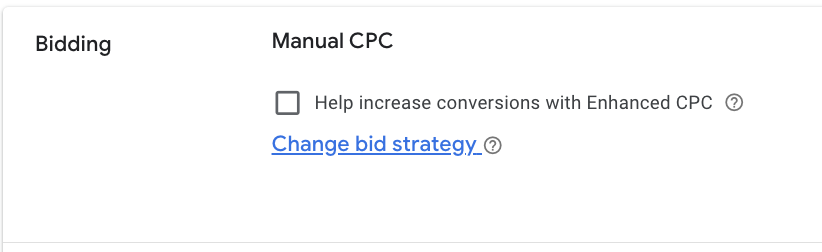
Now let’s take a closer look at the types of bidding strategies. Until recently, manual bidding strategies offered two setup options: fully manual bidding and manual bidding with some automation. However, since 2025, the Enhanced CPC strategy has been discontinued by Google Ads.
Manual CPC is the simplest bidding strategy. Bids are set manually at the keyword level and remain unchanged until the advertiser adjusts them. Its biggest advantage is control. Google cannot automatically increase your bid beyond the limit you have set, which makes the strategy useful when you do not yet know what traffic should cost or need to keep spending under tight control.
Manual bidding makes sense when the account has not yet accumulated enough conversions for the algorithm to learn from, the budget is too small to provide a stable signal, or the campaign is testing a new niche without historical data.
The main drawback is that you need to regularly analyze performance and adjust bids manually because conditions in Google Ads auctions are constantly changing. Advertisers also do not have access to all the signals available to Google’s algorithms when automated strategies are used. Manual bidding can still perform well, as our PPC for Orlando appliance repair case study shows, but that limitation should be part of the decision.
Enhanced CPC combined manual bid management with elements of automation. The advertiser set a bid for a keyword, while Google could adjust it during the auction depending on the likelihood of a conversion.
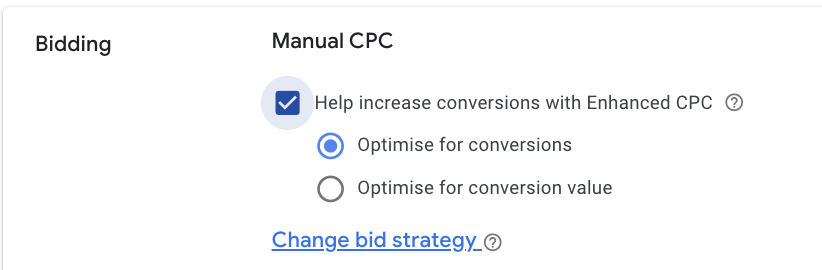
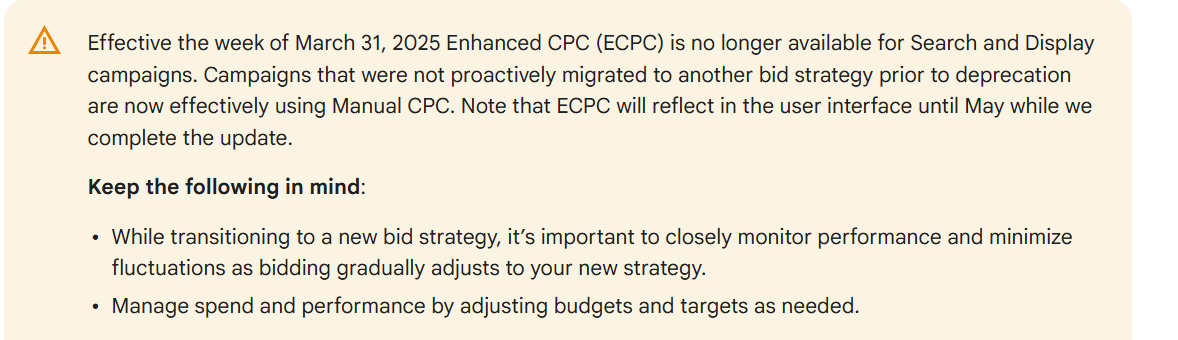
Enhanced CPC is no longer available as a separate option. It was fully discontinued on March 31, 2025. Search and Display campaigns that advertisers did not migrate manually were automatically moved to manual bid management.
As alternatives, Google recommends choosing:
We often see advertisers who used Enhanced CPC for years assume it was essentially a full automation strategy. After it was discontinued, many were unsure which option to switch to. A Google Ads audit can help determine which bidding model best fits the campaign before making the switch.
All the strategies discussed below fall under one general term — Smart Bidding. During each auction, Google evaluates a wide range of contextual signals, including device type, approximate location, time of day, previous search behavior, seasonal trends, and other factors that advertisers cannot fully see or manage manually.
That is why, when advertisers expect Smart Bidding to deliver immediate results, we explain that the algorithm needs a learning period and enough data before these signals can be used effectively.
Below, we’ll take a closer look at the main automated bidding strategies and when each one is used.
Maximize Clicks is a fully automated strategy designed to generate the highest possible number of clicks within the campaign’s daily budget.
This strategy works best when your goal is to attract more traffic to the website, increase brand awareness, grow an active blog audience, or collect the first behavioral data in a new account.
For example, a niche eCommerce store or media project at the launch stage can use Maximize Clicks to quickly generate relevant website visits without waiting to accumulate conversion data.
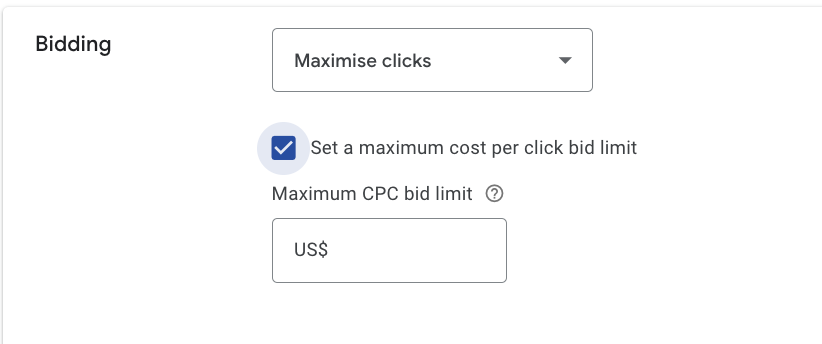
A few practical tips:
Maximize Conversions is similar to Maximize Clicks, but the focus here is on generating as many conversions as possible within the daily advertising budget. The system does not follow fixed keyword-level bids. It adjusts bids auction by auction based on how likely each user is to convert.

Although the strategy looks simple, it should be used carefully:
Target CPA now works as an optional target within Maximize Conversions rather than as a separate strategy. We’ll cover that setting in more detail below.
If your goal is to generate more valuable actions, Maximize Conversions can be a good choice. However, if the budget is very limited, it may be worth considering other bidding strategies.
Maximize Conversion Value goes one step beyond Maximize Conversions. Instead of trying to generate the highest possible number of conversions, it tries to generate the greatest total value from them. In other words, this strategy may generate fewer conversions, but those conversions can be more profitable.
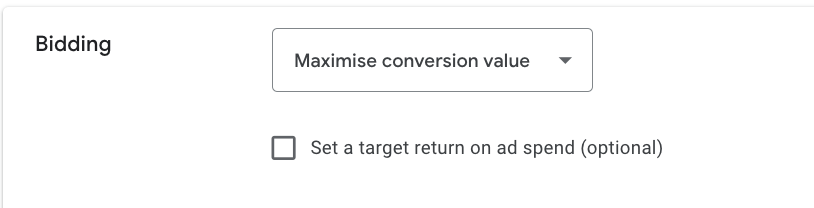
For the strategy to work effectively, you need:
For B2B and lead generation campaigns, where there is no immediate purchase amount, you can estimate value using the expected average deal value multiplied by the lead-to-sale conversion rate. The estimate does not have to be perfect. What matters is giving Google a consistent relative signal. A proper Google Analytics 4 setup helps pass those values into the campaign correctly.
Target CPA used to be a separate bidding strategy, but it is now available only as an option within Maximize Conversions. With Target CPA, the advertiser sets a target cost per conversion, and Google adjusts bids to generate as many conversions as possible at that target cost.
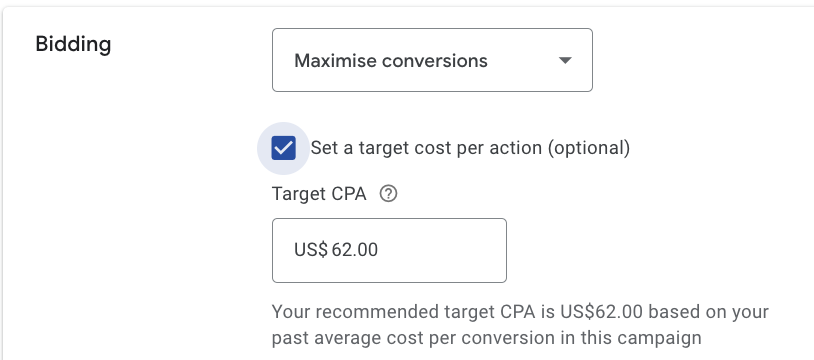
There are several things to watch:
We recommend treating the first two to four weeks as a learning period. Set the target slightly above your recent average CPA or use the value suggested by Google, then gradually lower it toward your desired level.
Target ROAS works according to the same general logic as Target CPA, but instead of focusing on a fixed cost per conversion, it optimizes toward a target return on ad spend.
Google predicts conversion performance based on historical data and adjusts bids in real time to move closer to the specified ROAS at the ad group or campaign level, balancing individual conversions over time.
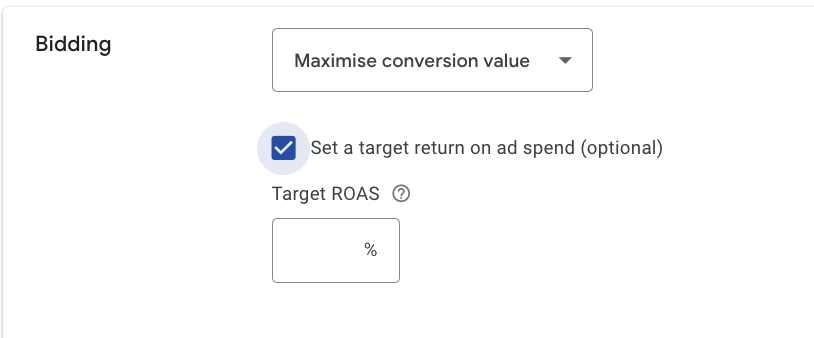
To use it effectively:
Target ROAS is a natural fit for eCommerce because revenue is usually known shortly after the conversion. It is more difficult to use in B2B, real estate, consulting, and other long-cycle businesses where the final deal value may not appear until weeks or months later.
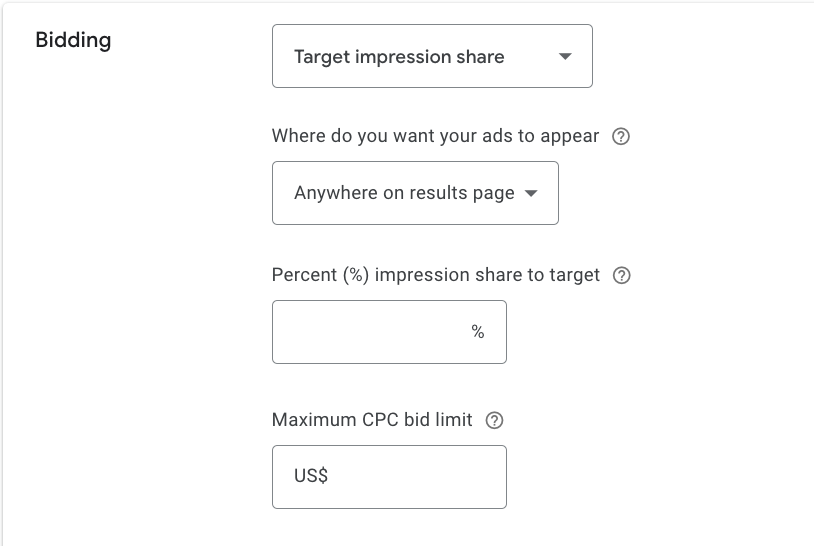
Target Impression Share lets you set a target percentage of impressions and aims to place your ads in prominent positions on the search results page. It is most commonly used when it is important to appear above organic results for branded searches or to maintain visibility against competitors bidding on your brand. In these situations, competitor ad analysis can help you understand how aggressively others are competing for that traffic.
Even the best bidding strategy performs better when supported by properly configured ad extensions in PPC, as they improve both visibility and user engagement.
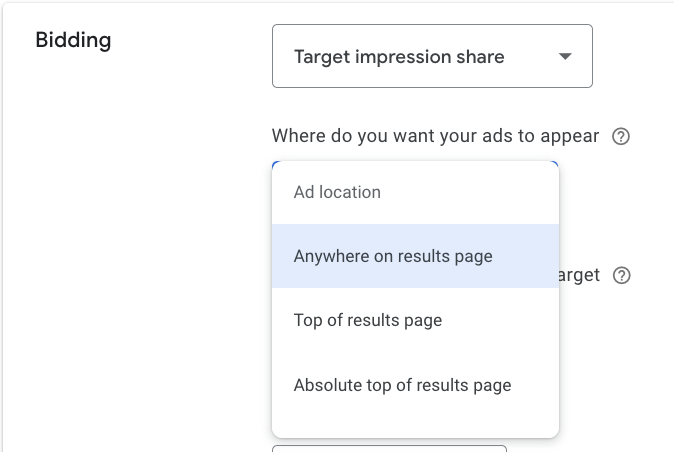
Target Impression Share offers three placement options: absolute top of the page, top of the page, or anywhere on the page. Each option gives the algorithm a different signal about your priorities, and Google adjusts bids accordingly.
You can set a maximum CPC to avoid overspending, but if the limit is too low, the strategy may become less effective because Google may not be able to achieve the desired impression share (e.g., 80–90%).
Keep these recommendations in mind:
A portfolio bid strategy combines several campaigns under one shared goal instead of using a separate automated strategy for each campaign. Google optimizes bids across the entire group based on aggregated conversion data. This approach can be useful when individual campaigns generate too few conversions for the algorithm to learn effectively on its own.
It makes sense to combine campaigns into a portfolio when they work toward the same business goal and share similar budget, CPA, or ROAS constraints. You can also set bid limits at the portfolio level, giving you additional control over how aggressively Google allocates spend across campaigns.
Smart Bidding Exploration expands the range of search queries the algorithm can test beyond those it already considers highly relevant. This can help uncover new audiences that are capable of converting. The option is best suited to accounts with stable, accurate conversion tracking that are prepared to accept some irrelevant traffic in exchange for discovering new opportunities.
The ROAS Tolerance setting allows you to define how far the algorithm can deviate from the target return on ad spend while searching for profitable combinations. The wider the tolerance, the more actively the system can experiment.
Google is also developing Journey-Aware Bidding, which evaluates a broader customer journey instead of looking only at the final click. Other improvements affect budget distribution throughout the day and bidding behavior during seasonal shifts in demand.
Our experience shows that the more broadly the algorithm explores new queries, the more important clean conversion data becomes. The system will also learn from poor signals, such as accidental conversions, duplicates, or incorrectly configured eCommerce tracking, but it will learn to optimize toward the wrong outcomes.
Before testing newer Smart Bidding features, review your conversion setup first. If it is difficult to identify the weak points yourself, Livepage’s PPC services include account analysis and a recommended plan for moving to a more suitable setup.
To understand how to choose a bidding strategy, answer three questions:
Then choose the strategy that best matches your situation:
Here are a few common situations you may recognize:
When an advertiser enables or changes an automated bidding strategy, the campaign enters a learning period. During this stage, the algorithm collects data about which auctions lead to conversions and adjusts its bidding model accordingly.
Results can be unstable while this is happening. CPA and spend may move more sharply than usual, and the campaign can take several weeks to settle. Google Ads shows the learning status directly in the interface.
Avoid making major changes while the strategy is learning. Do not frequently adjust Target CPA or Target ROAS, make large budget changes, switch bidding strategies, or upload large batches of new keywords and ads. These changes can restart the learning process.
A common mistake is to judge Smart Bidding after only three or four days. At that stage, Google may still be collecting the data it needs to understand the campaign. Ending the test too early can make a normal learning phase look like a failed strategy.
We have already covered the main cautions for each bidding strategy above, but there are also several mistakes that advertisers commonly make across different strategies:
Some of these issues can be difficult to identify on your own. A PPC audit or Google Ads audit can help reveal where the campaign is losing budget and what needs to be corrected.
This guide mainly covers Search campaigns, but bidding works a little differently across other Google Ads formats as well:
Our Hoxton Mix Google Ads results show how combining the appropriate bidding strategy with continuous optimization leads to measurable business growth.
We’ve reviewed the main Google Ads bidding strategies for Search campaigns, and here are a few important takeaways:
Effective Google Ads campaign management requires understanding the available bidding strategies and applying them according to the needs of the business. If you need help with that process, you can contact the Livepage PPC team. You can also see the results of our work in our PPC case studies.
There is no single “best” strategy for every campaign. The right choice depends on the campaign goal, available conversion data, and budget.
The more stable your conversion volume has been over the past 30 days, the faster and more accurately the algorithm can learn. If conversion volume is still low, we recommend starting without a strict target CPA or ROAS.
Usually a few weeks. The exact duration depends on the bidding strategy and the amount of data available. The campaign status in Google Ads shows whether the learning period is still in progress.
No. Enhanced CPC is no longer offered as a standalone bidding strategy for a Search campaign. Depending on the quality of your conversion tracking and campaign goals, consider moving to Maximize Conversions or Maximize Conversion Value.
There are no formal limits, but every major change can trigger a new learning period. Frequent switching can hurt performance, so it is generally better to test a new strategy for at least 2–4 weeks before drawing conclusions.


“Livepage has proven to be a reliable source for rapid online growth. We started with 2,000 visitors per month. In 3 years together with Livepage we have reached 70,000 visitors and more than 100 leads from the site per month.”


“As for the results, we’ve been working together since 2015, and our traffic has increased 10x. I cannot say that Livepage was our first SEO company, but they have become the first SEO partner that helped us to achieve the success we were looking for.”


“Livepage delivers SEO efforts that have led to an increase in the site’s users, traffic, and conversions. The team uses a wide range of tools to achieve the client’s goals. They are attentive to the client’s needs, working with them in real-time and bringing in additional specialists when needed.”


“I am pleased with the quick task execution and the instant replies to my messages.”


“I like the complex approach that the Livepage team offers. Absolutely all team members work together; everyone is aware of what is happening on the project. We have one common goal – to increase our service sales, and the team is making every effort to achieve the goal as soon as possible.”


“We’ve been really impressed by how Livepage quickly understood our business and centred our PPC campaign around our objectives. We have achieved good results within a very short time in both revenue and ROI.”


“Everything is clear, timely, and understandable.”


“They have leveraged ideal opportunities to reach our business goals.”