


19 min reading
How to Get Featured in Google AI Overviews: A Step-by-Step Website Optimization Guide


Key takeaways:
Just a few years ago, getting useful information about competitors’ advertising was much more difficult and often required paying for specialized tools. Much of the advertising shown to users is now publicly available, which means you can review competitor ad creatives without spending anything.
For marketers and business owners, this opens up a valuable new source of market insight. You can study how competitors position their offers, spot recurring creative patterns, follow emerging trends, and use those observations to improve your campaigns.
Below, we’ll explain how to find competitor ads, what to pay attention to when reviewing them, and how to turn other companies’ ads into useful hypotheses for your own tests.
An ad creative is the combination of visuals, copy, and a call to action. Together, these elements form the single message users see within your advertising campaign.
People often use the term “creative” to mean only the image or only the copy. In reality, an ad creative usually includes at least five elements, and they should be analyzed together:
Static image ads remain one of the cheapest formats to produce and are still widely used in product categories. They are especially effective when the product is already familiar and does not require much explanation.
Video is often a better choice for more complex offers and cold audiences. However, the key message needs to appear within the first 2–3 seconds to capture attention quickly.
For eCommerce, carousel ads work much like a digital storefront. They are particularly useful for dynamic retargeting, where each card can address a different objection or highlight another product benefit.
Text-based search ads have no visual element, so everything depends on the wording and the search queries the advertiser chooses to target or exclude. In this case, traffic quality is shaped by negative keywords in Google Ads, not by an attractive image.
Analyzing what ads competitors are running can answer several important questions:
Competitor research is especially valuable for businesses with limited advertising budgets. A large company can afford to test eight ideas at once and shut down six of them if they fail. Small and midsize businesses rarely have that luxury.
Public ad libraries help level the playing field. You can see which approaches have already stayed active for a competitor targeting a similar audience and use that information to make a more informed starting choice.
In our experience, small businesses often blame weak campaign performance on the creative itself. But the real issue may be the campaign structure or landing page. Before redesigning your ads, consider running a PPC audit to check whether irrelevant traffic or setup issues are consuming your budget.
Not sure whether the problem is your creatives or your campaign setup? Order PPC services from Livepage and find out where your budget is being lost and how to fix it.
There are several ways to identify competitors whose ads are worth analyzing:
When clients ask how many competitors they should monitor for a useful analysis, we usually recommend 5–7 companies. Fewer may not provide enough context, while a much larger list can turn research into busywork. A spreadsheet with 50 competitors that has not been updated in six months is unlikely to provide much value.
We’ve put together a quick table showing where to find ad creatives your competitors use and what each platform reveals.
| Source | Platform | Access | Available Data | Missing Data |
| Meta Ad Library | Facebook, Instagram, Messenger | Free | Active ads, launch dates, links to landing pages | Budgets, performance, targeting |
| Google Ads Transparency Center | Search, Display Network, YouTube | Free | Ads from verified advertisers, filters by region and date | Bids, budgets, conversions |
| TikTok Creative Center | TikTok | Free | Top-performing creatives by industry and region | Full advertiser-specific archive |
| LinkedIn Ad Library | Free | Company ads from recent months | Spend and performance results | |
| X Ads Repository | X (Twitter) | Free | Ads shown in the EU | Coverage outside the EU |
| SpyFu, Semrush, Similarweb | Search and social media | Paid | Ad history, filters, estimated budgets | Exact ad spend |
Google Ads Transparency Center is a public archive of ads from verified advertisers. Google requires advertisers to confirm their identity or legal business status and then makes basic advertiser information and active or recent ads publicly available. You do not need third-party software for competitor ad analysis. You can search by advertiser name or domain and use filters for country and date range.
We recommend starting Google Ads campaign management with a review of Google Ads Transparency Center before launching new campaigns.
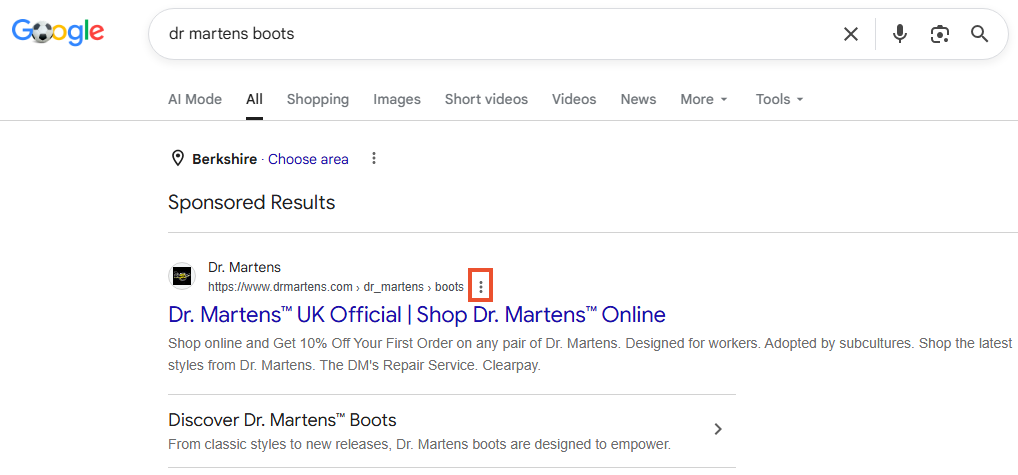
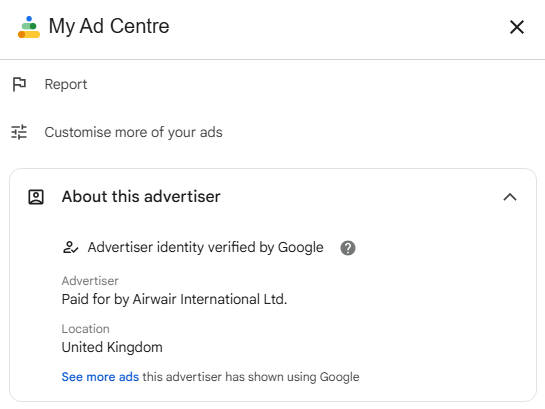
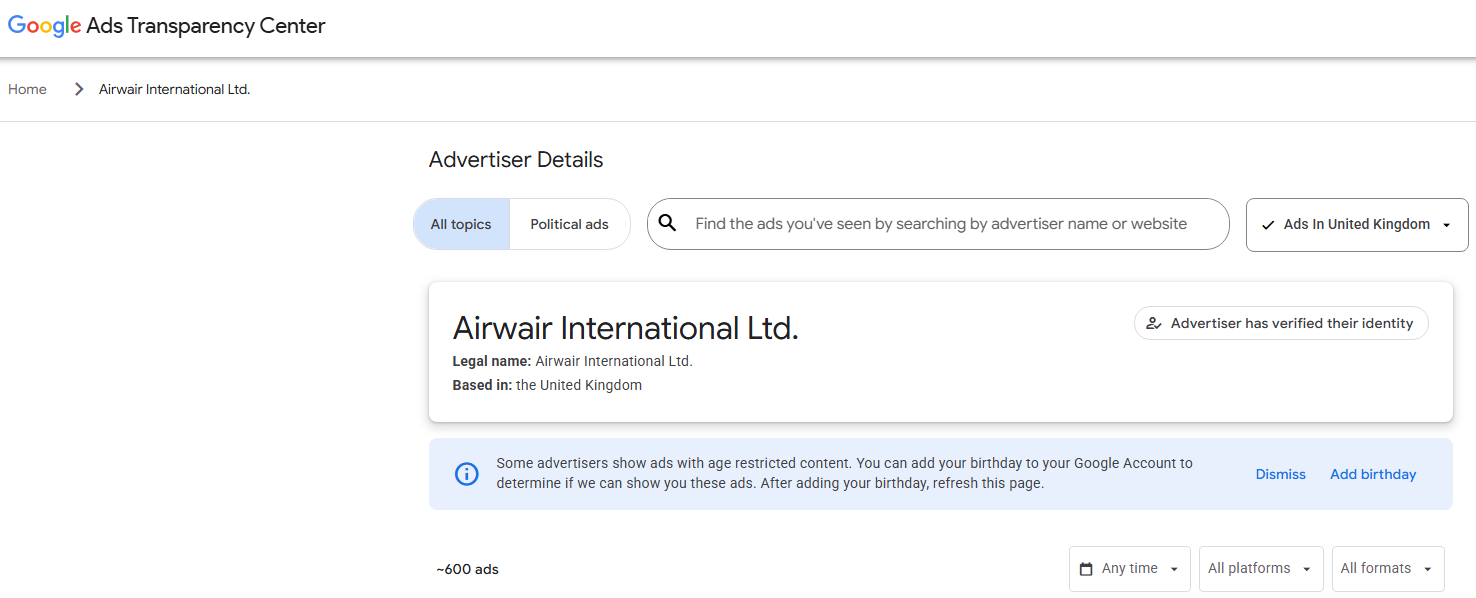
Open the Google Ads Transparency Center and enter the advertiser’s name. This method is more convenient when you already have a list of competitors and want to review several companies without relying on the search results you happen to see.
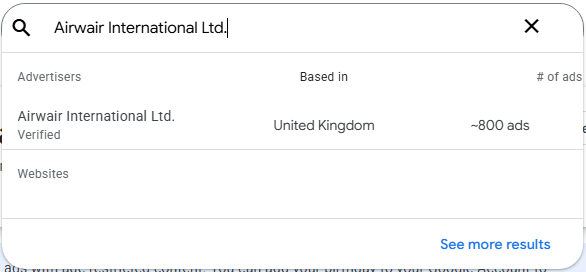
Google Ads Transparency Center includes all the standard ad formats competitors may be using:
The mix of formats can give you clues about where a competitor is putting the most effort and budget. If you see mostly text ads, the business is likely focused on existing search demand. If there is a large number of similarly designed banners in different sizes, that often points to Display Network campaigns. A strong volume of video creatives may indicate active work with colder audiences on YouTube.
This tool is useful for finding competitor creatives, but it has several limitations:
Understanding advertising myths to avoid makes it easier to evaluate competitors’ campaigns without drawing the wrong conclusions.
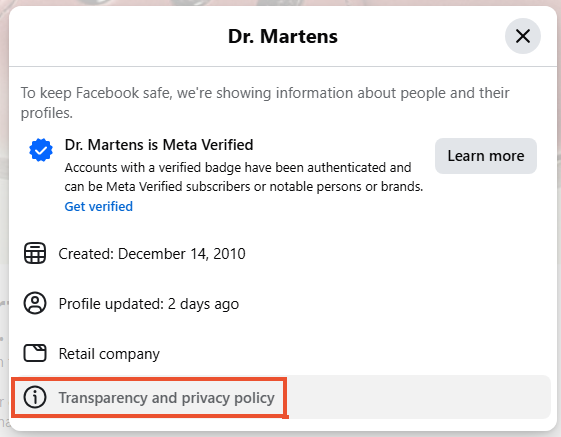
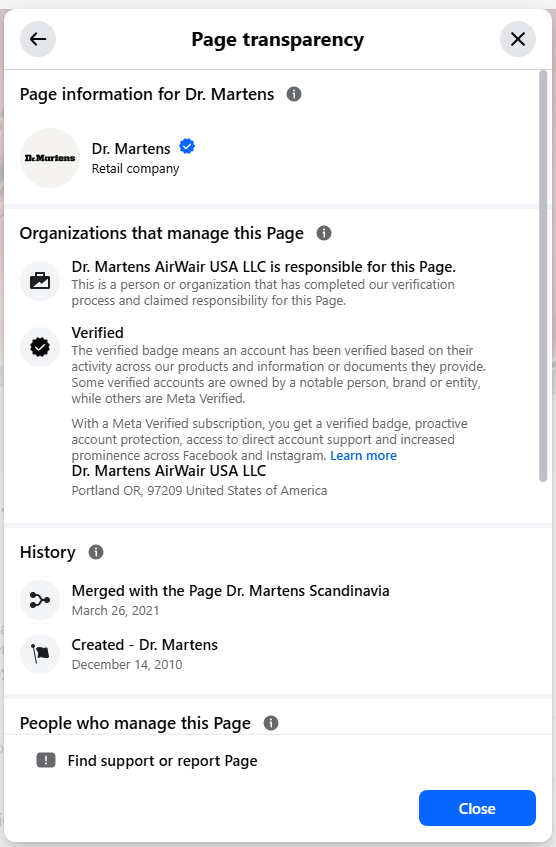
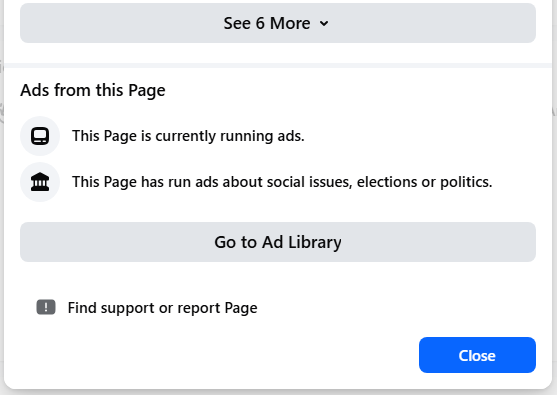
Meta Ad Library is one of the most comprehensive free resources for researching social media advertising. It covers Facebook, Instagram, Messenger, and Audience Network and lets you view active ads from business pages.
The real value of Meta Ad Library is in the details that are easy to overlook. It can reveal much of a competitor’s marketing funnel because you see more than the ad itself. You can trace the full path: creative ➔ CTA ➔ landing page. Every destination link and UTM parameter becomes a free source of competitive insight. That is why we usually begin Facebook Ads campaign management by studying these connections.
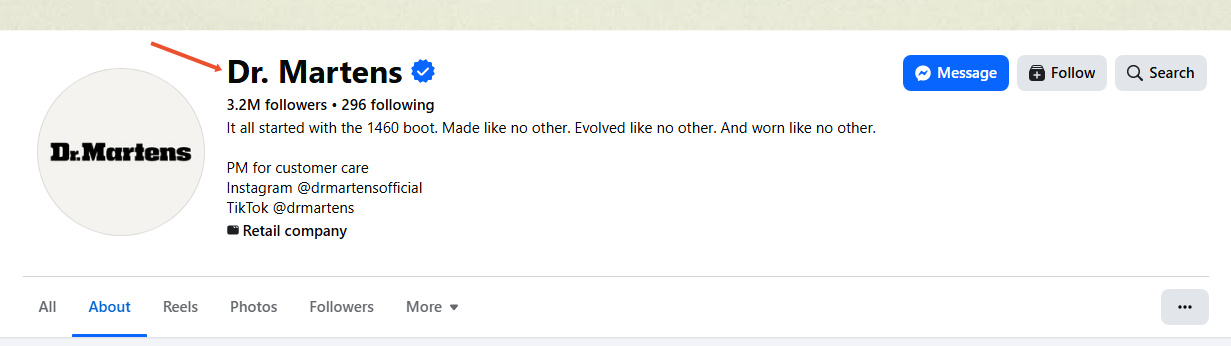
Instead of entering a company name, search for phrases such as “delivery in one hour” or “pay in installments.” This can help you discover advertisers that were not on your original competitor list and uncover more ideas for your own tests.
The Meta Ad Library interface is fairly straightforward. It includes several sections that we will explore below.
This is the main database where Meta stores advertising creatives from the past five years. Start by selecting the country where the ads were shown, choose the ad category (all ads or social and political ads), and enter your search query. The results can show the creatives competitors use, their ad copy, campaign launch dates, and the platforms where the ads appear.
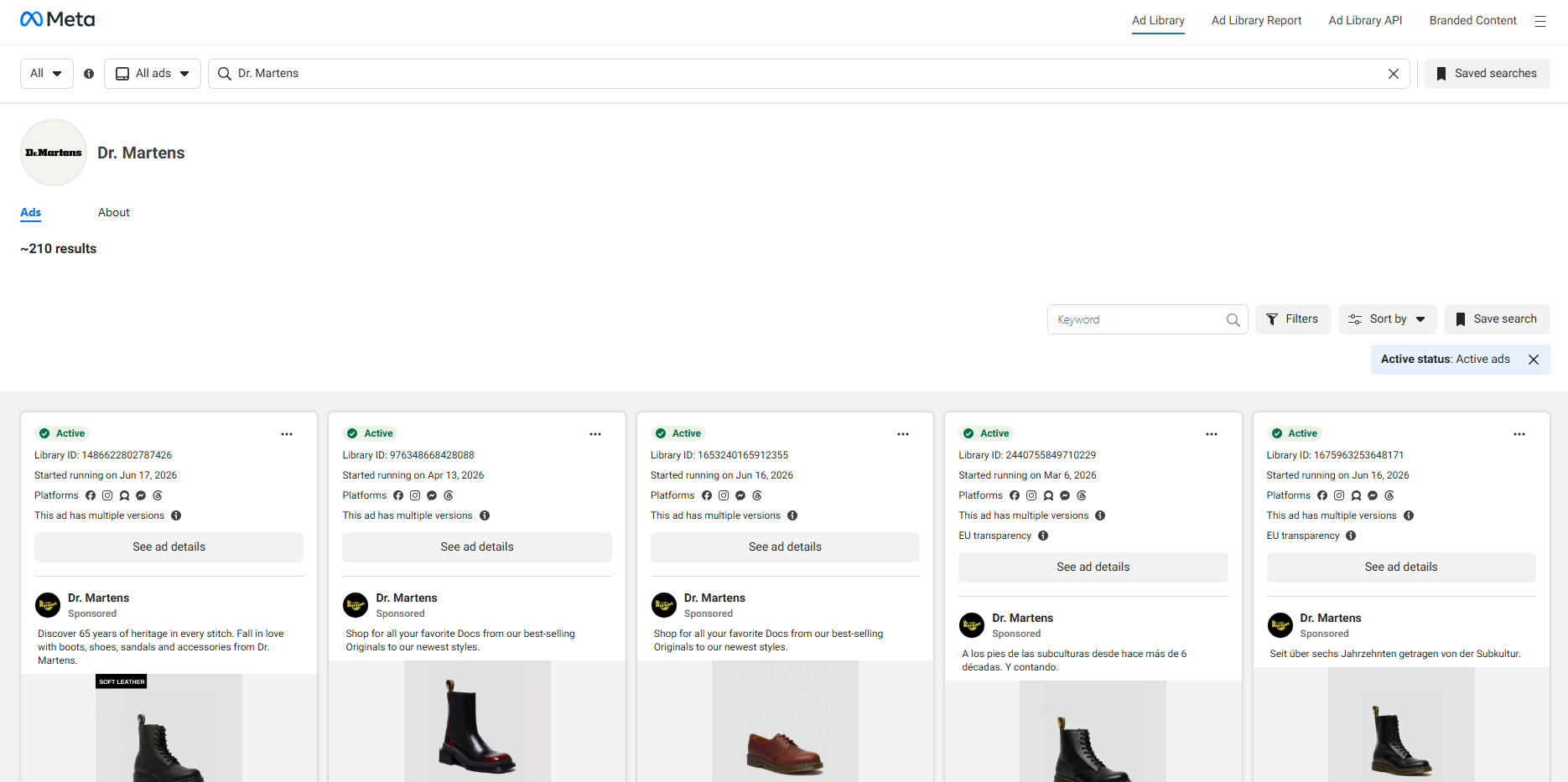
You can also apply additional filters for deeper analysis, including language, platform, and media type. Available formats may include images with little or no text, memes containing your keyword, videos, and text-only creatives. The date filter lets you choose a specific period within the available five-year history.
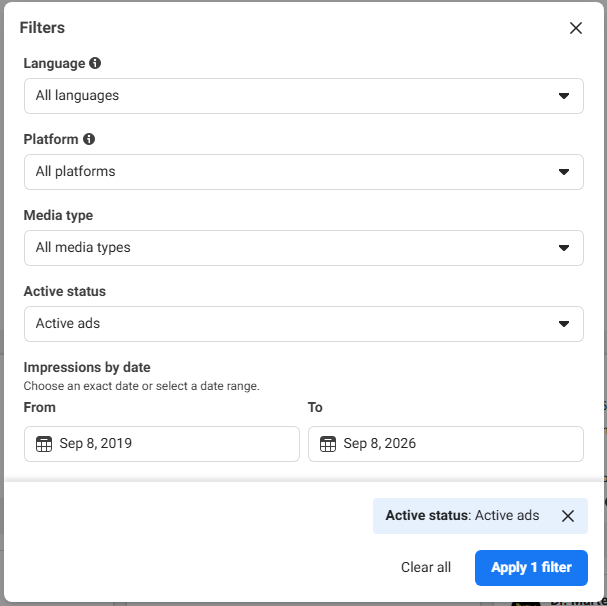
One of the most useful combinations is status plus launch date. Select “Active” and set the start date to 3–6 months ago. This helps surface long-running creatives that have remained active throughout that period.
You can also look for signs of creative fatigue. If a competitor launches new designs almost every week, its audience may be small enough to experience creative fatigue quickly. That can be a useful clue for your own planning.
Businesses that want to diversify their targeting strategy can consider alternatives to lookalike audiences instead of relying on a single audience-building method.
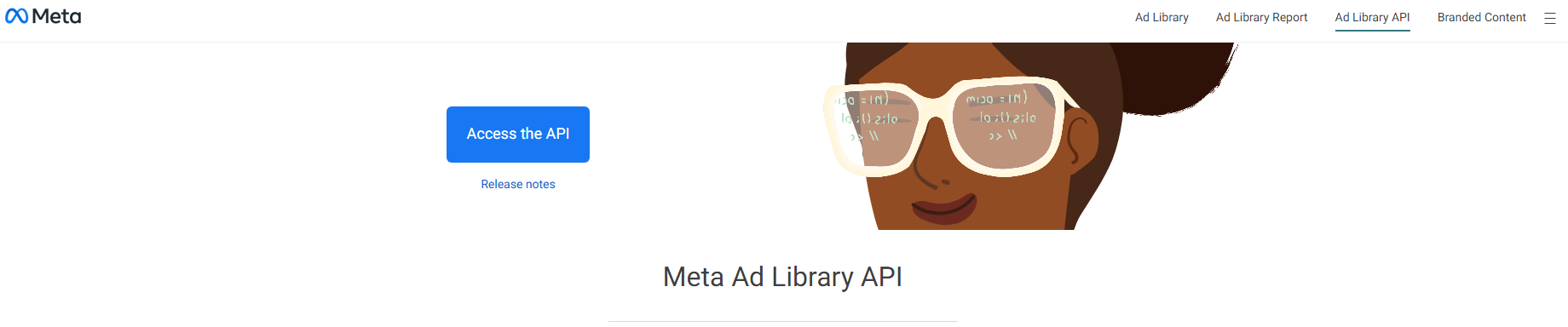
Complete the required application and receive access from Meta to work with a larger dataset and a longer historical period of up to seven years.
This section focuses on ads related to social issues, elections, and politics. Its main purpose is transparency. You can see advertisers that have run this type of advertising and review information about their spending. For most commercial competitor research, however, this report has limited direct value.

AI ad analysis can complement manual competitor research by helping identify common creative patterns, messaging approaches, and campaign trends.
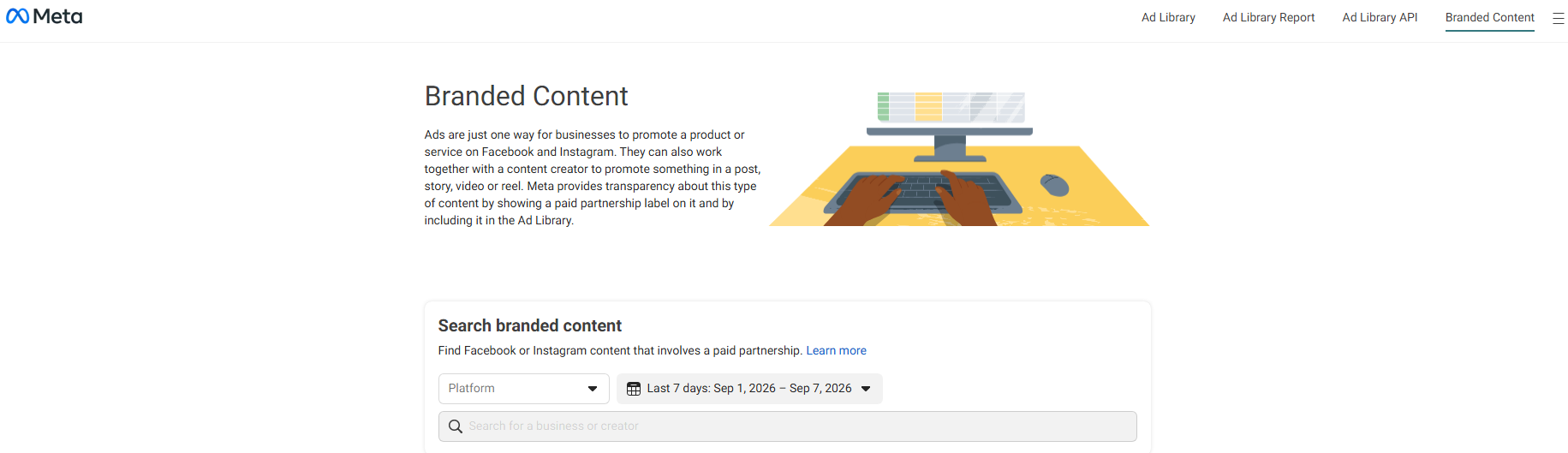
This section shows content labeled as a paid partnership between a brand and a creator. It can help you understand how competitors work with influencers across Facebook and Instagram, which is especially useful because a significant share of promotion may run through partner accounts rather than the brand’s own page.
Regulatory requirements (especially the Digital Services Act in Europe) have pushed major online platforms to maintain public ad archives and disclose more advertising data. As a result, marketers now have several additional tools for researching competitor creatives:
One thing is worth clarifying from the start: paid tools do not replace Meta Ad Library or Google Ads Transparency Center. They work more like an extra layer on top of those free resources. The actual creatives are still easiest to find in public ad libraries. Paid platforms mainly add features such as longer ad histories, more convenient filters, saved collections, alerts, and estimated budget data.
If you have not yet exhausted the free sources, a subscription may not add much value. Most paid services estimate traffic and spending based on indirect signals, so their numbers should be treated as directional rather than exact. They are useful for comparing relative scale, not for precise financial calculations.
The table below compares several popular tools for competitor ad research.
| Tool | Available Data | What It Adds | Best For |
| SpyFu | Google search ads, keywords | Multi-year history of ads and search queries | Search advertising and keyword research |
| Semrush | Search and display ads | Paid traffic estimates, domain comparisons | Broad analysis of paid acquisition |
| Similarweb | Traffic sources, advertising networks | Channel and geographic traffic distribution | Strategic market analysis |
| Social ad spy tools | Meta and TikTok creatives | Filters by format and ad duration, swipe file features | Paid social research |
Here are eight key signals to focus on first:
Always analyze the “creative + landing page” link. The same visual can produce very different conversion rates depending on where the click leads. It also makes little sense to copy a competitor’s creative into a campaign that uses an unsuitable bidding model. You can learn more about matching bidding to campaign goals in our guide to Google Ads bidding strategies.
Not sure why competitors are getting better results from similar creatives? Order a Google Ads audit. Our specialists will review your campaigns, ads, and landing pages, then develop a more effective advertising strategy for your business.
Here is how you can analyze a cosmetics eCommerce store step by step, assuming an average order value of around $50.
Step 1. Choose a competitor
From the 5–7 companies on your list, select one that consistently appears in paid search results, for example, for a query such as “buy cream for dry skin.”
Step 2. Find the creatives using the tools described above
Suppose Meta Ad Library shows 34 active ads, while Google Ads Transparency Center contains 8 text ads and no banners. The first takeaway is that the competitor appears to be concentrating most of its advertising activity on social media while maintaining a smaller search presence for high-intent queries.
Step 3. Look for recurring signals
Filter the active ads to show those launched more than four months ago. Let’s say six remain. All six follow a similar pattern: an unboxing video of a product set, the set shown in someone’s hands in the opening frame, a fixed discount in the headline, and a dedicated landing page for the set rather than the full catalog. There are also many ads offering percentage discounts, but those tend to remain active for only 2–3 weeks.
For convenience, you can record the findings in a table:
| Competitor | Platform | Creative | Hook | Offer | Landing page | Duration | Hypotheses to Test |
| Store A | Instagram Reels | Product set unboxing video | Set shown in hand in the first frame | $10 discount | Dedicated set page | 5 months | A fixed discount instead of 15% off |
Step 4. Draw your final conclusions
Tip: Fill in the “Hypothesis” column as soon as you save a creative. Otherwise, two weeks later you may have a folder full of screenshots and no idea why any of them seemed important.
Checking competitors once can show you what is happening today, but it does not tell you what is actually working. Better decisions come from tracking how competitor advertising changes over time. By the second or third check, you can already see which creatives disappeared, which ones stayed active, and which new ads appeared before a seasonal push.
Use a few simple rules:
A competitor’s creative works within a specific combination of factors: the offer, target audience, landing page, brand reputation, and campaign setup. Change just one of those elements, and you may not get the same result.
Remember:
More importantly, copying usually fails for practical reasons. We often see companies reproduce a market leader’s creative and expect similar results, only to get weak conversion rates. The leader may have years of campaign optimization behind that ad, along with a large first-party audience for PPC remarketing. The creative itself is only one part of a much larger system.
Our lead generation case for NinjaPromo demonstrates how a structured paid media approach can be used to attract and convert potential clients.
You do not need expensive software to spy on competitor ads effectively. A consistency is much more important. Start with the platform you already use for paid acquisition: Meta Ad Library for social campaigns or Google Ads Transparency Center for search advertising.
Choose 5–7 competitors and begin with active ads that have been running for more than 3–4 months. For each one, record the hook, offer, landing page, and ad duration. Then turn every creative into one hypothesis, add those ideas to your creative testing queue, and repeat the analysis two weeks later.
From there, the work moves beyond what public libraries can show you. Campaign structure, bidding, landing pages, and remarketing all need to be built around your own business — see how this works in practice in our PPC case studies.
At Livepage, we believe in the power of data. We utilize new and proven methods alike to provide you with valuable insights into your online presence. By analyzing your metrics and those of your competitors, we can develop a promotion strategy that will boost your brand awareness and bring more leads and customers to your business. From PPC for Orlando appliance repair to PPC for Bvblogic, our team has worked with businesses with very different audiences, objectives, and competitive landscapes.
Choosing Livepage means partnering with an expert team dedicated to the success of your online venture. Whether you’re only establishing your digital presence as a small local business or a big enterprise seeking to improve your online reach, we will tailor our campaigns to your specific needs. Contact us now and achieve the advertising results your business deserves!
You can view competitor ads in Meta Ad Library or Google Ads Transparency Center. Search by company name or keyword. Both tools are free.
Meta Ad Library, Google Ads Transparency Center, TikTok Creative Center, LinkedIn Ad Library, and X Ads Repository cover most major platforms. Paid tools are mainly useful when you need longer ad histories, more advanced filters, or alerts.
One useful signal is how long the ad has been running. Ads that fail to justify their spend are often turned off relatively quickly, so pay particular attention to creatives that have remained active for 3–4 months or longer.
Not exactly. Public ad libraries do not disclose precise budgets for commercial campaigns. Spend and reach ranges are generally available only for certain types of social or political advertising. Paid tools may provide modeled estimates, but these are better for comparing relative scale than for calculating actual spend.
Yes. Advertising libraries are public archives, and some were created or expanded in response to regulatory requirements such as the European Digital Services Act. You can also adapt ideas, promotional mechanics, and formats. What you should not do is copy specific visuals or ad copy or misuse another company’s trademarks in your own advertising.


“Livepage has proven to be a reliable source for rapid online growth. We started with 2,000 visitors per month. In 3 years together with Livepage we have reached 70,000 visitors and more than 100 leads from the site per month.”


“As for the results, we’ve been working together since 2015, and our traffic has increased 10x. I cannot say that Livepage was our first SEO company, but they have become the first SEO partner that helped us to achieve the success we were looking for.”


“Livepage delivers SEO efforts that have led to an increase in the site’s users, traffic, and conversions. The team uses a wide range of tools to achieve the client’s goals. They are attentive to the client’s needs, working with them in real-time and bringing in additional specialists when needed.”


“I am pleased with the quick task execution and the instant replies to my messages.”

“I like the complex approach that the Livepage team offers. Absolutely all team members work together; everyone is aware of what is happening on the project. We have one common goal – to increase our service sales, and the team is making every effort to achieve the goal as soon as possible.”

“We’ve been really impressed by how Livepage quickly understood our business and centred our PPC campaign around our objectives. We have achieved good results within a very short time in both revenue and ROI.”

“Everything is clear, timely, and understandable.”


“They have leveraged ideal opportunities to reach our business goals.”