



1 min reading
Review of Cooperation with Livepage from BEREG


Your competition for a spot in search results isn’t limited to other websites. Your own pages can be competitors too. This is known as SEO cannibalization: multiple pieces of content on the same website target the same keywords and end up competing with each other. This makes it harder for Google to figure out which one best matches what the user is searching for, so your search visibility may drop.
Let’s look at what is SEO cannibalization and how to spot and fix it to promote your website effectively.
The easiest way to explain cannibalization is with an example. Say you have two articles, “How Much Does Mobile Game Development Cost?” and “How Do You Calculate the Cost of Mobile Game Development?”, and both are optimized for the same query, “mobile game development price.” Instead of one article ranking higher, the two end up competing with each other.
When discussing cannibalization meaning in SEO, it’s important to separate two concepts:
Most of the time, cannibalization is an unintended side effect of growing a website without keeping the semantic core and content plan under control.
What is keyword cannibalization? Keyword cannibalization is when your own pages split rankings for the same keyword, most often because of:
Content cannibalization in SEO, by contrast, results from:
You can see the negative effects of keyword and content cannibalization on SEO in Google Search Console reports in the form of ranking fluctuations, a declining CTR, falling organic traffic, and more.
When multiple pages target the same query, Google rotates them in search results. As a result, rankings fluctuate and no single page holds a top position.
External backlinks and internal links get divided among multiple URLs, so the equity that could have boosted one page is spread thin.
When several pages cover the same topic with the same keywords, Google can’t tell which one is unique. Before scaling your blog, it’s worth ordering keyword research services for your website to avoid duplicate topics and poorly distributed queries.
The search crawler uses up its limited time crawling identical pages on your website and doesn’t get to the new, useful ones. Some duplicates show up in GSC under the status “Duplicate, Google chose different canonical than user.”
URL rotation sends users to a less relevant page, like an article when they were looking for a service page. CTR drops, and visitors who don’t find an answer head back to search.
Before you use any SEO cannibalization tools, make a list of your website’s main pages and assign a single primary keyword to each one. This requires updating your semantic core or building one from scratch, since it helps you distribute queries across pages correctly. Be sure to factor in long-tail keywords, because they’re often what helps prevent your pages from competing with each other.

Use one or more of the following methods to find SEO cannibalization.
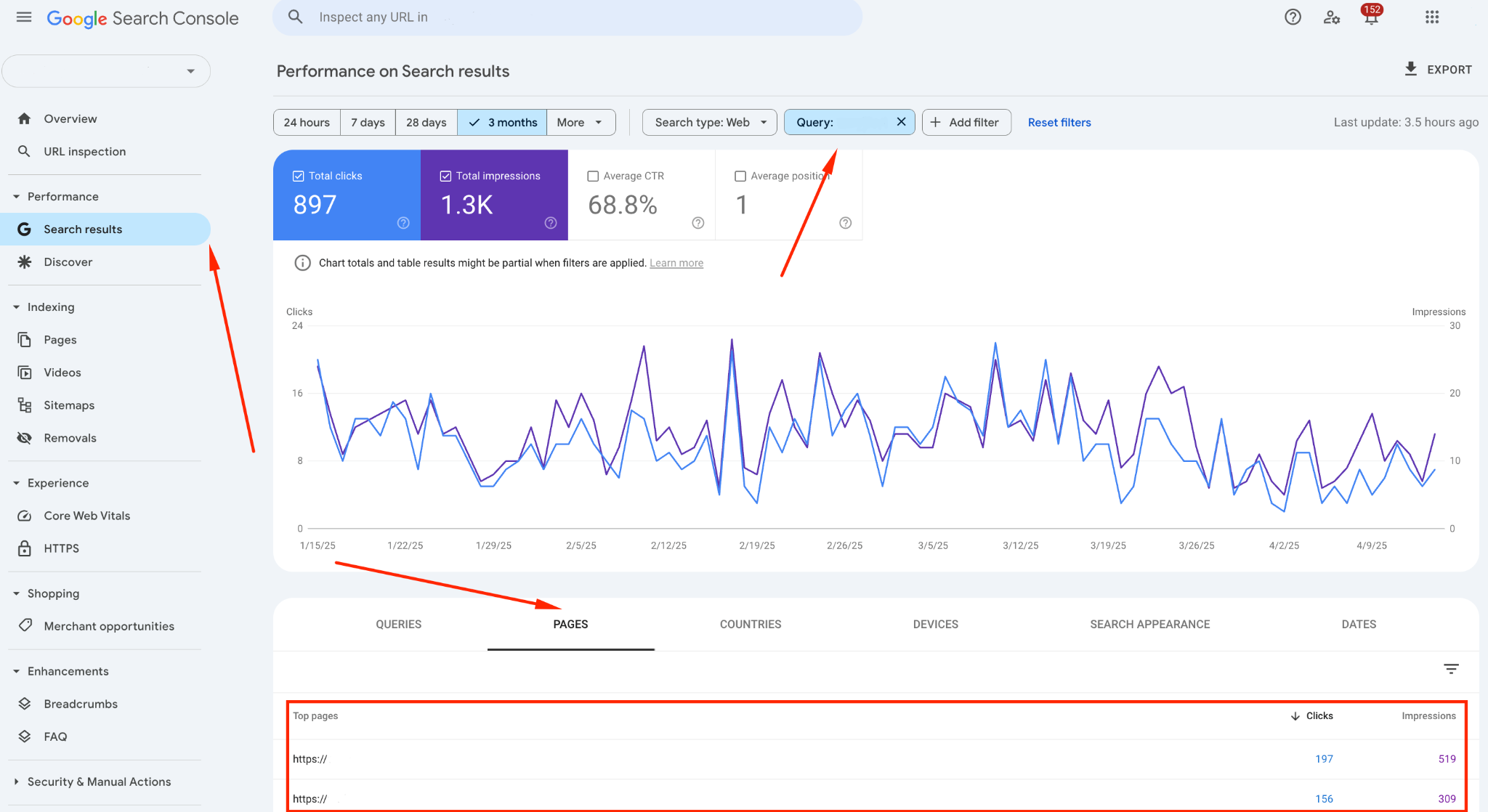
To find cannibalized keywords in GSC:
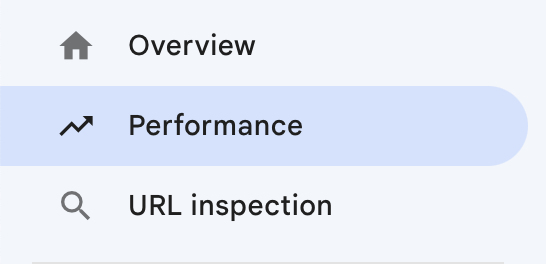
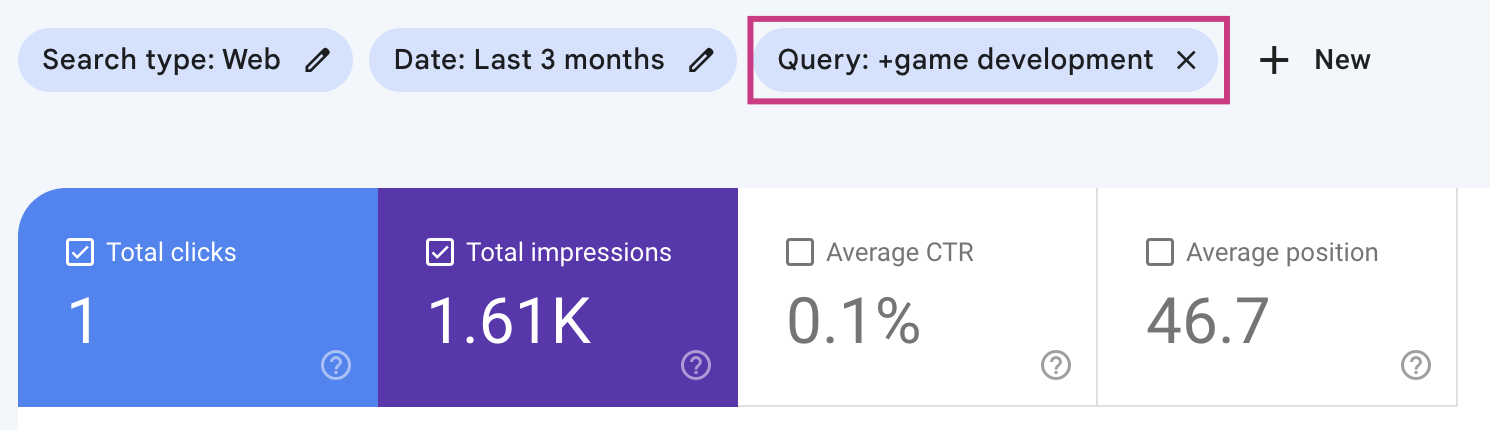

Here’s how:
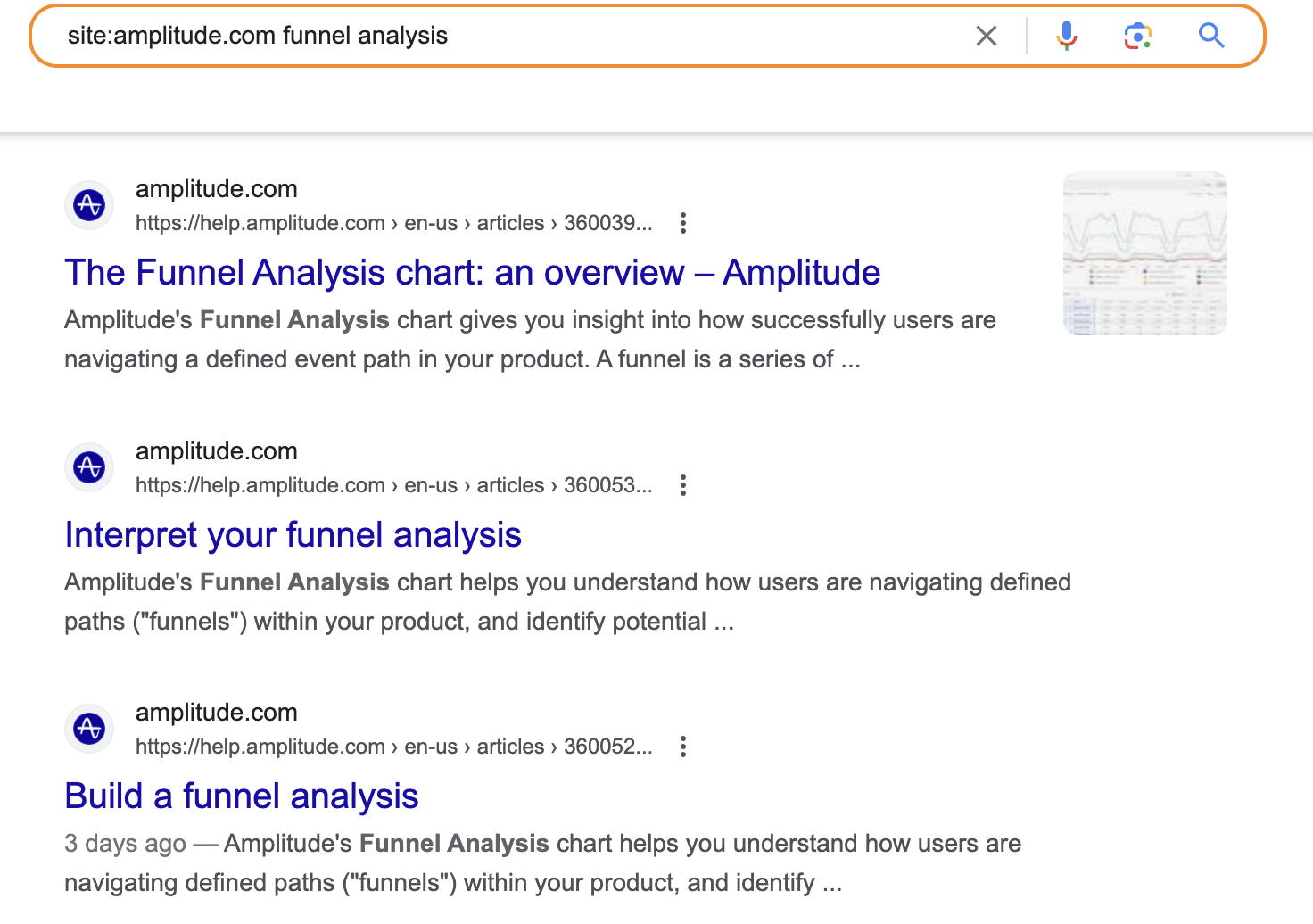
Type your website’s domain along with the keyword you’re checking into the search bar to see every page Google considers relevant to that query. The most relevant page shows up first. If it’s pushing out a more important page (for example, an article is outranking a landing page), de-optimize it.
The most popular tools for detecting SEO cannibalization are Ahrefs, Semrush, and SE Ranking. They all work in much the same way.
Here’s how it looks in Ahrefs:

Which method you choose to fix SEO cannibalization depends on whether your business needs both pages.
This option works when you have:
Important: Too many redirects are undesirable because they interfere with website indexing. However, if your website is small or has only a few cannibalized pages, you can use this option with confidence.
Once the redirect is in place, check all internal links to make sure they point directly to the final URL. Also, remove the old URLs from your sitemap so that only the final page remains.
This method works well when both pages are valuable to the business, whether they drive traffic and leads or have strong backlinks, and you don’t want to lose either one. It’s also a good fit when the pages cover different subtopics or search intents. Here’s how to do it step by step:
Keyword cannibalization needs to be handled carefully and with help from specialists. The solutions below can hurt your search rankings, so don’t try them on your own.
This is a last resort for pages that don’t bring in traffic or leads, have no business value, or aren’t indexed yet. If a page is already indexed and has backlinks, it’s better to set up a 301 redirect.
Noindex removes a page from the index but doesn’t pass its link equity to another URL. This tag is intended for utility pages: the cart, registration, login, etc.
Canonical specifies the main version among identical pages, and Google treats it as a hint. For two different articles competing for a keyword, it doesn’t solve the problem: both remain in the index.
A well-planned blog structure gives every page its own topic and keyword, while a keyword map helps you distribute topics and minimize cannibalization in SEO. Here are a few key points to help you structure your blog correctly.
Your content plan should account for the topic hierarchy, funnel stages, the goal of each article, and how articles are distributed across categories. During clustering, it’s also worth considering the differences between short-tail and long-tail keywords up front.
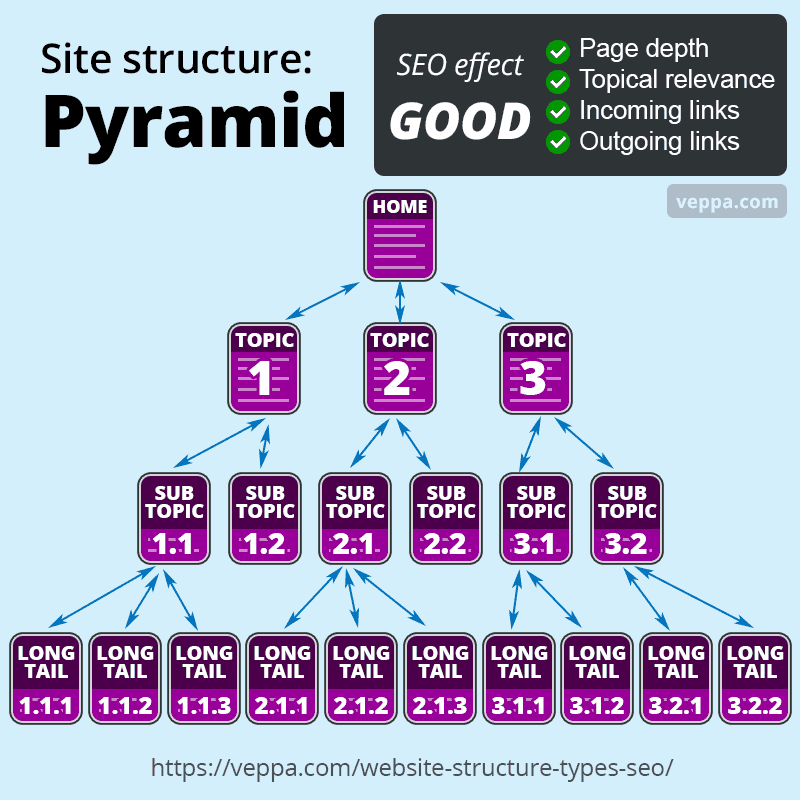
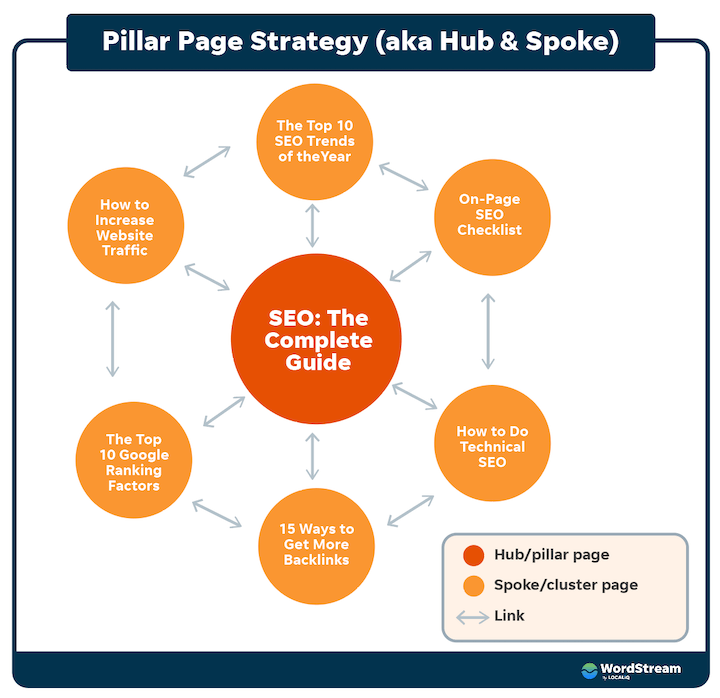
Every article should have a defined topic, a clear goal, and a unique set of keywords. SEO blog structures most often rely on one of two content organization models: the pyramid model or the cluster model. Both create a logical page hierarchy, improve internal linking, and help you avoid keyword cannibalization.
As the name suggests, this structure looks like a pyramid, with the general topic at the top and narrower subtopics below it. For example: “All About Banking Services in the US” → “Types of Bank Cards” → “Visa vs. Mastercard: What’s the Difference?” This approach prevents content duplication because every page has its own clear role and place.
This model is built around one central page (the pillar) and a cluster of topically related articles connected through internal links. Its core principle is that all the articles link to one another and to the main pillar page. The result is a strong topical connection and a logical structure for search engines.
Important: Once your blog structure is in place, you should perform on-page optimization of the website to boost the impact of proper internal linking.
To see how to fix SEO cannibalization successfully, let’s look at our SEO for the British company Hoxton Mix. When we started, the website had 200+ blog articles and low traffic. Our audit uncovered keyword cannibalization, with 5–7 articles per cluster targeting similar keywords.

In each cluster, we kept the best-performing article, redirected the duplicates to it with 301 redirects, updated the title tags, meta descriptions, and H1s, and built a content plan based on the pillar model. As a result, we expanded the website’s keyword map with new entry points and increased conversions.
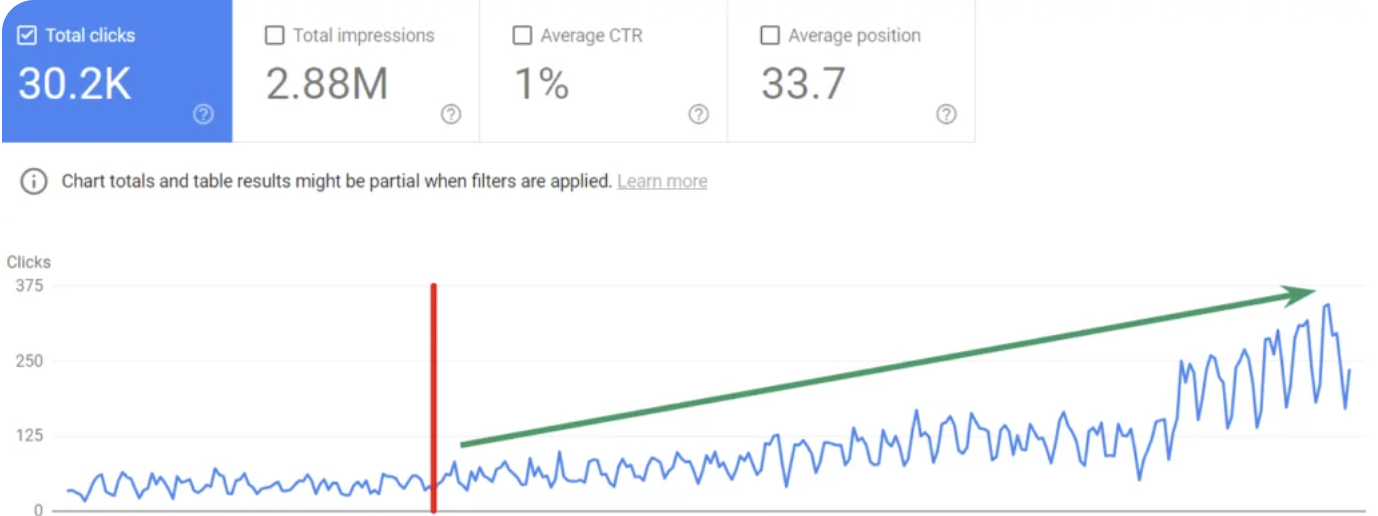
To see these approaches applied in practice, take a look at the large-scale content structure audit for Class Central.
When you understand what is cannibalization in SEO and how to fix it effectively, you have more opportunities for successful promotion. You can spot early on when your website’s pages start competing for the same keyword or duplicating a topic, which costs them rankings, link equity, and traffic.
To find keyword cannibalization, use the reports in Google Search Console or third-party tools like Ahrefs, Semrush, or SE Ranking. You can fix it with a 301 redirect to the strongest page or by splitting keyword clusters. The best way to prevent keyword cannibalization, though, is to have a well-thought-out content plan and a clear blog structure. Livepage can help with that: we’ll run a high-quality website audit, develop an SEO strategy, and create the right content.
With keyword cannibalization, GSC shows multiple URLs for the same keyword, and they take turns appearing in the search results. If only one page ranks but rankings are dropping across a group of keywords, look for the cause elsewhere: an algorithm update, technical errors, or competitors’ actions.
You’ll see the first changes once the pages are recrawled. Steady growth shows up within a few months.
Once a quarter is ideal. You should also run an audit before updating your content plan and after a website redesign or migration.


“Livepage has proven to be a reliable source for rapid online growth. We started with 2,000 visitors per month. In 3 years together with Livepage we have reached 70,000 visitors and more than 100 leads from the site per month.”


“As for the results, we’ve been working together since 2015, and our traffic has increased 10x. I cannot say that Livepage was our first SEO company, but they have become the first SEO partner that helped us to achieve the success we were looking for.”


“Livepage delivers SEO efforts that have led to an increase in the site’s users, traffic, and conversions. The team uses a wide range of tools to achieve the client’s goals. They are attentive to the client’s needs, working with them in real-time and bringing in additional specialists when needed.”


“I am pleased with the quick task execution and the instant replies to my messages.”


“I like the complex approach that the Livepage team offers. Absolutely all team members work together; everyone is aware of what is happening on the project. We have one common goal – to increase our service sales, and the team is making every effort to achieve the goal as soon as possible.”


“We’ve been really impressed by how Livepage quickly understood our business and centred our PPC campaign around our objectives. We have achieved good results within a very short time in both revenue and ROI.”

“Everything is clear, timely, and understandable.”


“They have leveraged ideal opportunities to reach our business goals.”