




1 min reading
Review of Cooperation with Livepage from MISSIA Bridal



Is your product feed optimization strategy failing to deliver the expected results? The problem is not always with the advertising campaign settings. Often, the product feed itself is holding performance back because of missing attributes, vague titles, incorrect categorization, or outdated information.
Many eCommerce businesses still underestimate the importance of a well-optimized product feed. It usually gets attention only when Google Merchant Center starts reporting errors or advertising campaigns perform worse than expected.
Today, simply providing Google with a product name, price, and image is no longer enough. Its algorithms need to understand the product itself: what it is, who may find it useful, how it differs from similar products, and in which context it should be shown to a user. Optimizing a product feed has long since moved beyond basic technical maintenance. It has a direct impact on ad relevance, campaign performance, and conversion volume.
In this Google Shopping product feed optimization guide, we explain which changes genuinely improve Google Shopping performance, how to make your feed easier for algorithms to understand, and which common mistakes prevent product ads from delivering better results.
A product feed is a spreadsheet or file containing detailed information about your products. Google uses it to access product titles, descriptions, images, prices, brands, availability, specifications, categories, and other attributes.
Today, the feed is one of the main sources of information about an online store’s product range. It helps Google understand:
The more complete, accurate, and structured the feed is, the more useful signals the algorithms receive for Performance Max, Google Shopping, and organic product listings.
Google is also increasingly using AI-powered systems to generate recommendations and select products in Shopping and search. The product feed has become one of the key data sources for these systems.
This is where product data feed optimization for Google Ads begins. A properly completed feed helps algorithms assess product relevance more accurately, improves visibility, and creates a strong foundation for successful advertising campaigns.
Even a well-planned Shopping campaign can underperform when key feed attributes are incomplete or poorly optimized. Applying product feed best practices gives your products a stronger foundation for visibility and relevance.
If you are unsure how to optimize your Google Shopping product feed, start with a product title optimization. This is one of the simplest and most effective ways to improve feed quality without major technical changes.
The title should describe the product using the language potential customers are likely to search with, rather than the internal name preferred by the brand or store managers. A shopper is unlikely to search for “Emily Dress,” for instance. Queries such as “black midi evening dress” or “evening black midi dress” are far more realistic.
In other words, a title should serve as a concise, structured description rather than simply a marketing label. This allows Google to assess the product’s relevance to specific queries more accurately.
A structure like this will work for most products:
Brand → Product Category → Key Feature → Colour → Size
For example:
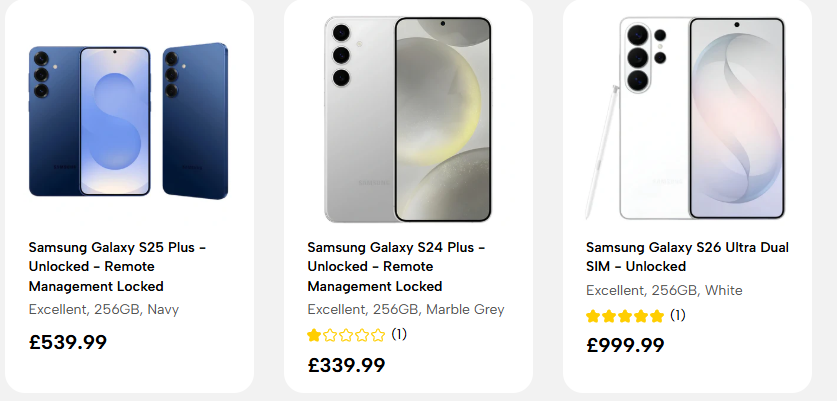
However, there is one important detail: the brand should appear at the beginning only when it already has consistent search demand. When the brand is relatively unknown or operates locally, Google’s algorithms first need to understand what kind of product is being offered. The brand should not be removed entirely, but it is usually better to place it closer to the end of the title.
Among all Google Shopping product feed optimization steps, this should be the first one, as even small changes to product titles can improve impression relevance, click-through rate, and conversion volume.
While the title gives algorithms their first signal, the description provides much more context about the product itself. The main purpose of product description optimization is not to repeat the title or overload the text with keywords. Instead, it should give Google additional information about the product’s features and characteristics.
For example:
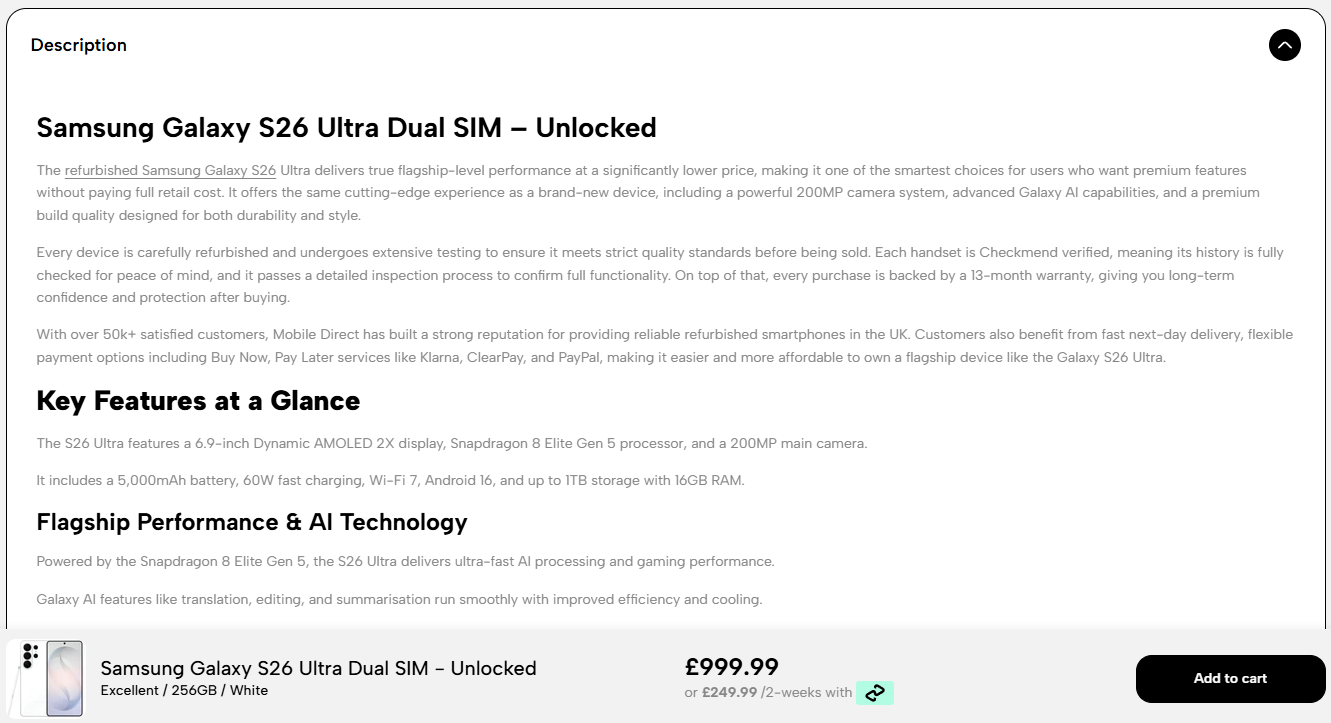
The more useful and structured information Google receives, the easier it is for its algorithms to match the product with relevant search queries and show it to the right audience. It also allows shoppers to form a better impression of the product before clicking, which can have a positive effect on Shopping campaign results.
When working with a product feed, it is important to configure two types of categorization correctly:
For Product Type, it is better to use detailed categories rather than broad, general ones. This helps the algorithms understand more precisely which product group an item belongs to.
For example:
Home Appliances → Major Appliances → Washing Machines → Samsung Washing Machines
The Google Product Category attribute also needs to be completed carefully. The selected category should match Google’s official classification as closely as possible.
For example:
<g:google_product_category>2549</g:google_product_category>
Here, 2549 refers to washing machines. A complete list of categories is available through the link in Google’s official documentation.
The more accurately Product Type and Google Product Category are configured, the easier it is for the algorithms to match products with relevant search queries and audiences. That is why eCommerce product data feeds optimization should include not only titles and descriptions but also a clear and accurate category structure. This improves product classification and supports stronger campaign results.
Google Shopping is primarily a visual advertising format. Before users even have time to read the product title or notice the price, they have already seen the image. That is why the decision to click an ad is often made within just a few seconds.
Thus, for product photos to work well, they should include:
These are the minimum product image requirements for achieving good results in Google Shopping.
When you sell widely available products, such as smartphones, household appliances, branded shoes, or clothing, you should regularly analyse how they appear in Shopping results. Competitors often use the same product images supplied by manufacturers, so their ads end up looking almost indistinguishable from yours.
In this situation, even a small visual difference can have a noticeable impact on CTR. For example, you can use:
Although these changes may appear small, they can help the product attract more attention, stand apart from competing ads, and generate more website visits. That’s why Google product feed optimization is not limited to text attributes. High-quality images are also an essential part of an effective feed.
It is essential that the information in the product feed fully matches what appears on the website.
If a user sees one price, the product as “In stock,” or a specific model or set of features, but finds different information after clicking through to the website, Google may treat this as a negative signal. As a result, Google may:
These problems most often result from incorrect data for price and availability.
Another important area to review is the MPN or GTIN product identifiers. If the manufacturer has assigned a GTIN to the product, it is best to include it in the feed. Google uses this identifier to recognize the exact item and associate it with relevant offers, reviews, and product pages across different sellers. If the product does not have a GTIN, provide the MPN (Manufacturer Part Number).
Regularly checking product data quality is an important part of product feed optimization. Even well-structured advertising campaigns can lose effectiveness when the feed contains incomplete or outdated information.
Custom Labels are internal tags that allow you to group products based on business-specific criteria. Standard attributes describe the product through details such as its price, brand, or category, while Custom Labels are designed to support more convenient campaign management.
They do not improve the product description itself and have no direct impact on Google’s algorithms or Performance Max learning. Their value lies in helping advertisers organise inventory within the account and apply more precise campaign strategies.
For example:
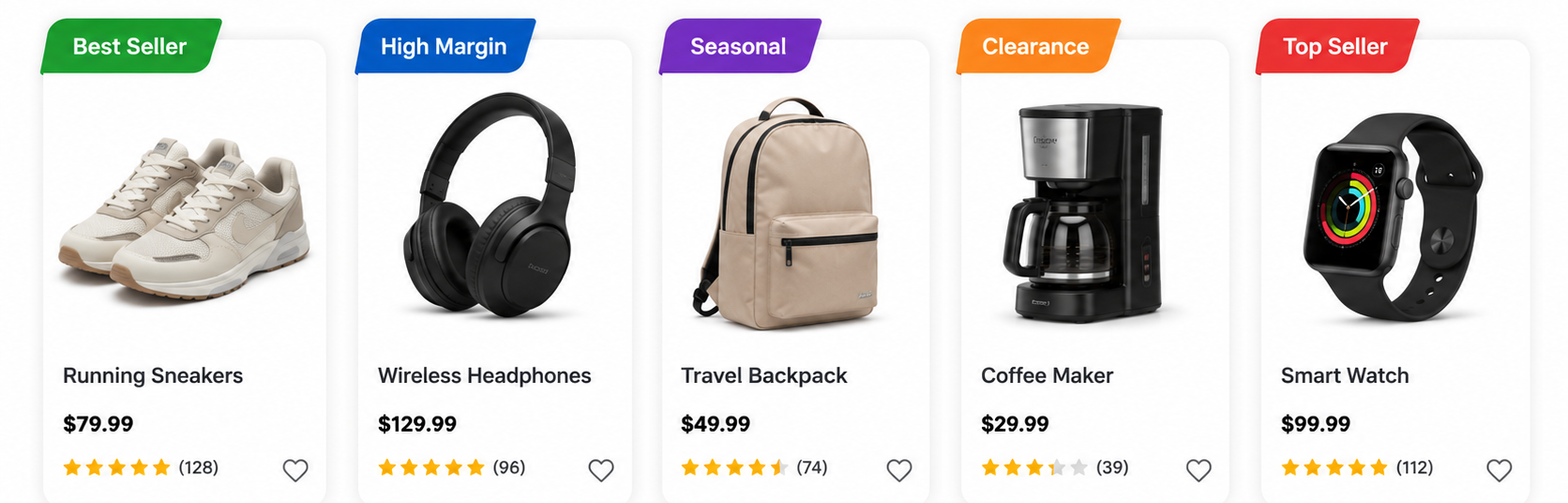
However, the potential uses of Custom Labels go far beyond a few basic tags. Businesses often use them to segment products according to:
This allows advertisers to:
A well-structured feed and thoughtful segmentation often lead to more stable campaign performance and create more opportunities for further optimization. Google Ads feed optimization also becomes much easier when products are organized by business metrics rather than only by catalogue category.
A product feed is never truly finished. Search behavior changes, product ranges evolve, user expectations shift, and Google regularly updates its algorithms. Although there are many product feed optimization tips to consider, analyzing search queries regularly is probably the most important one, as it allows you to understand:
Based on this information, you can improve titles, descriptions, and other feed attributes so they match relevant searches more accurately. Search query analysis is one of the key steps in Google Shopping feed optimization. Ongoing data review helps reveal growth opportunities early and maintain campaign performance despite changes in algorithms and competition.
Even a strong product selection does not guarantee effective advertising if the product feed contains serious errors. The most common problems specialists encounter include:
These problems usually develop over time, which makes them easy to overlook at first. Therefore, regular feed audits, performance analysis, and timely updates are essential for maintaining campaign effectiveness.
A product feed is no longer simply a file that supplies Google with product data. It has become one of the main factors influencing the effectiveness of Shopping campaigns. The more accurate and complete the feed is, the more opportunities Google’s algorithms have to reach relevant audiences and allocate the advertising budget effectively.
That is why Google shopping product feed optimization should be an ongoing process rather than a one-time setup. Regular data analysis, attribute updates, and testing of different approaches help businesses respond more quickly to algorithm changes and maintain a competitive advantage.
If you want to improve the performance of your product campaigns or need professional help with feed setup, the Livepage team can conduct an audit, identify weak points, and provide practical recommendations. Comprehensive product data feed optimization can make campaigns more effective and help generate stronger results from the advertising budget.


“Livepage has proven to be a reliable source for rapid online growth. We started with 2,000 visitors per month. In 3 years together with Livepage we have reached 70,000 visitors and more than 100 leads from the site per month.”


“As for the results, we’ve been working together since 2015, and our traffic has increased 10x. I cannot say that Livepage was our first SEO company, but they have become the first SEO partner that helped us to achieve the success we were looking for.”


“Livepage delivers SEO efforts that have led to an increase in the site’s users, traffic, and conversions. The team uses a wide range of tools to achieve the client’s goals. They are attentive to the client’s needs, working with them in real-time and bringing in additional specialists when needed.”


“I am pleased with the quick task execution and the instant replies to my messages.”


“I like the complex approach that the Livepage team offers. Absolutely all team members work together; everyone is aware of what is happening on the project. We have one common goal – to increase our service sales, and the team is making every effort to achieve the goal as soon as possible.”


“We’ve been really impressed by how Livepage quickly understood our business and centred our PPC campaign around our objectives. We have achieved good results within a very short time in both revenue and ROI.”

“Everything is clear, timely, and understandable.”


“They have leveraged ideal opportunities to reach our business goals.”